Getting started
Docker Compose
services:
  quality-gate-encoder:
    image: drumsergio/quality-gate-encoder:1.5.12
    container_name: quality-gate-encoder
    devices:
      - /dev/dri:/dev/dri  # Intel QSV -- remove if using NVIDIA or software encoding
    volumes:
      - /path/to/source:/app/source        # read-write: the " - 720p" links go here
      - /path/to/destination:/app/destination
    environment:
      ENABLE_HW_ACCEL: "true"
      HW_ENCODING_TYPE: "intel"   # nvidia | intel
      ENCODING_QUALITY: "LOW"     # LOW | MEDIUM | HIGH
      ENCODING_CODEC: "hevc"      # hevc | av1
      POLL_INTERVAL: "60"         # seconds between scans of the source tree
      SYMLINK_TARGET_PREFIX: "/path/to/destination"  # the destination as Jellyfin sees it; needed for the Version menu
    restart: always

    # For NVIDIA GPU support, replace the devices block above with:
    # deploy:
    #   resources:
    #     reservations:
    #       devices:
    #         - capabilities: [gpu]
Docker CLI
docker run -d \
  --name quality-gate-encoder \
  --device /dev/dri:/dev/dri \
  -v /path/to/source:/app/source \
  -v /path/to/destination:/app/destination \
  -e ENABLE_HW_ACCEL=true \
  -e HW_ENCODING_TYPE=intel \
  -e ENCODING_CODEC=hevc \
  -e ENCODING_QUALITY=LOW \
  -e POLL_INTERVAL=60 \
  -e SYMLINK_TARGET_PREFIX=/path/to/destination \
  --restart always \
  drumsergio/quality-gate-encoder:1.5.12
What you see when it worked
The log of a first run on a four-film demo library, software encoding (a GPU run says hardware decode instead).
Files already in the library are queued at startup without a line each; a file added later logs New video file detected: first.
2026-09-30 12:57:50,691 - INFO - Config: SOURCE_FOLDER=/app/source, DEST_FOLDER=/app/destination, CODEC=h264, CONTAINER=mp4, QUALITY=LOW, HW=disabled, HW_DECODE=True, AUDIO=auto/auto/autoch, MANIFEST_TARGET=disabled, SKIP_IF_LOW_QUALITY_EXISTS=True, POLL_INTERVAL=10s, FFMPEG_LOGLEVEL=warning, PRIORITY_FILE=/app/source/.encoder-priority.json, PRIORITY_MAX_AGE_HOURS=0
2026-09-30 12:57:50,958 - INFO - Monitoring started (polling every 10s).
2026-09-30 12:57:51,866 - INFO - Skipping file (ffprobe: 576p ≤ 720p): Elephants Dream (2006).mkv
2026-09-30 13:16:01,038 - INFO - Encoding succeeded (software decode): /app/destination/Big Buck Bunny (2008)/Big Buck Bunny (2008) - 720p.mp4
2026-09-30 13:16:01,045 - INFO - Created version symlink: /app/source/Big Buck Bunny (2008)/Big Buck Bunny (2008) - 720p.mp4 -> /media-720p/Big Buck Bunny (2008)/Big Buck Bunny (2008) - 720p.mp4
2026-09-30 13:19:38,049 - INFO - Encoding succeeded (software decode): /app/destination/Tears of Steel (2012)/Tears of Steel (2012) - 720p.mp4
2026-09-30 13:19:38,055 - INFO - Created version symlink: /app/source/Tears of Steel (2012)/Tears of Steel (2012) - 720p.mp4 -> /media-720p/Tears of Steel (2012)/Tears of Steel (2012) - 720p.mp4
2026-09-30 13:20:22,642 - INFO - Encoding succeeded (software decode): /app/destination/Sintel (2010)/Sintel (2010) - 720p.mp4
2026-09-30 13:20:22,644 - INFO - Created version symlink: /app/source/Sintel (2010)/Sintel (2010) - 720p.mp4 -> /media-720p/Sintel (2010)/Sintel (2010) - 720p.mp4
The film's folder afterwards: the original and a link beside it, named so Jellyfin groups the two as versions of one title.
total 43412
lrwxr-xr-x 1 root root       66 Sep 30 13:16 Big Buck Bunny (2008) - 720p.mp4 -> /media-720p/Big Buck Bunny (2008)/Big Buck Bunny (2008) - 720p.mp4
-rw-r--r-- 1 root root 44451362 Sep 30 12:55 Big Buck Bunny (2008).mkv
In Jellyfin, the film's page gets a Version menu with the copy, phones pick it, and the player's Playback Info reads Direct Play:
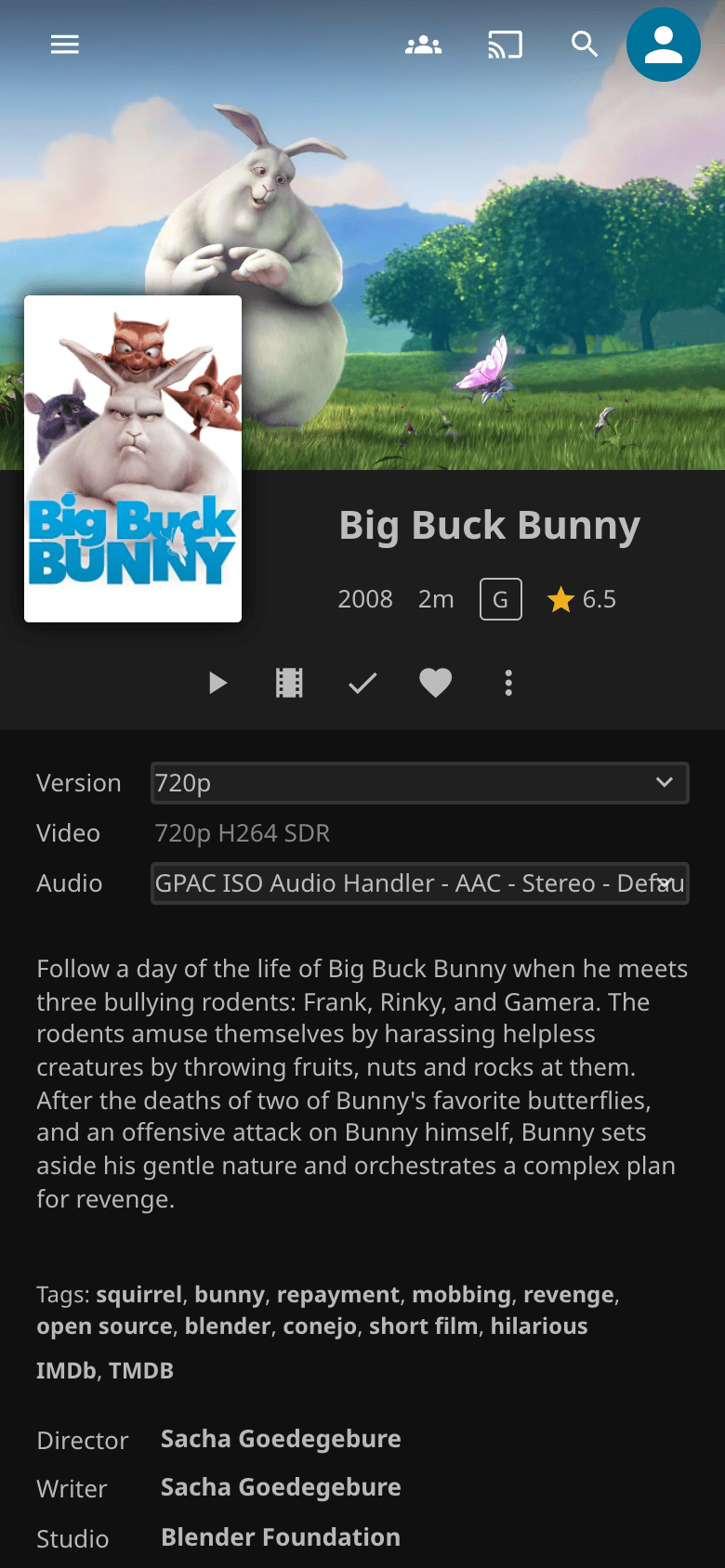
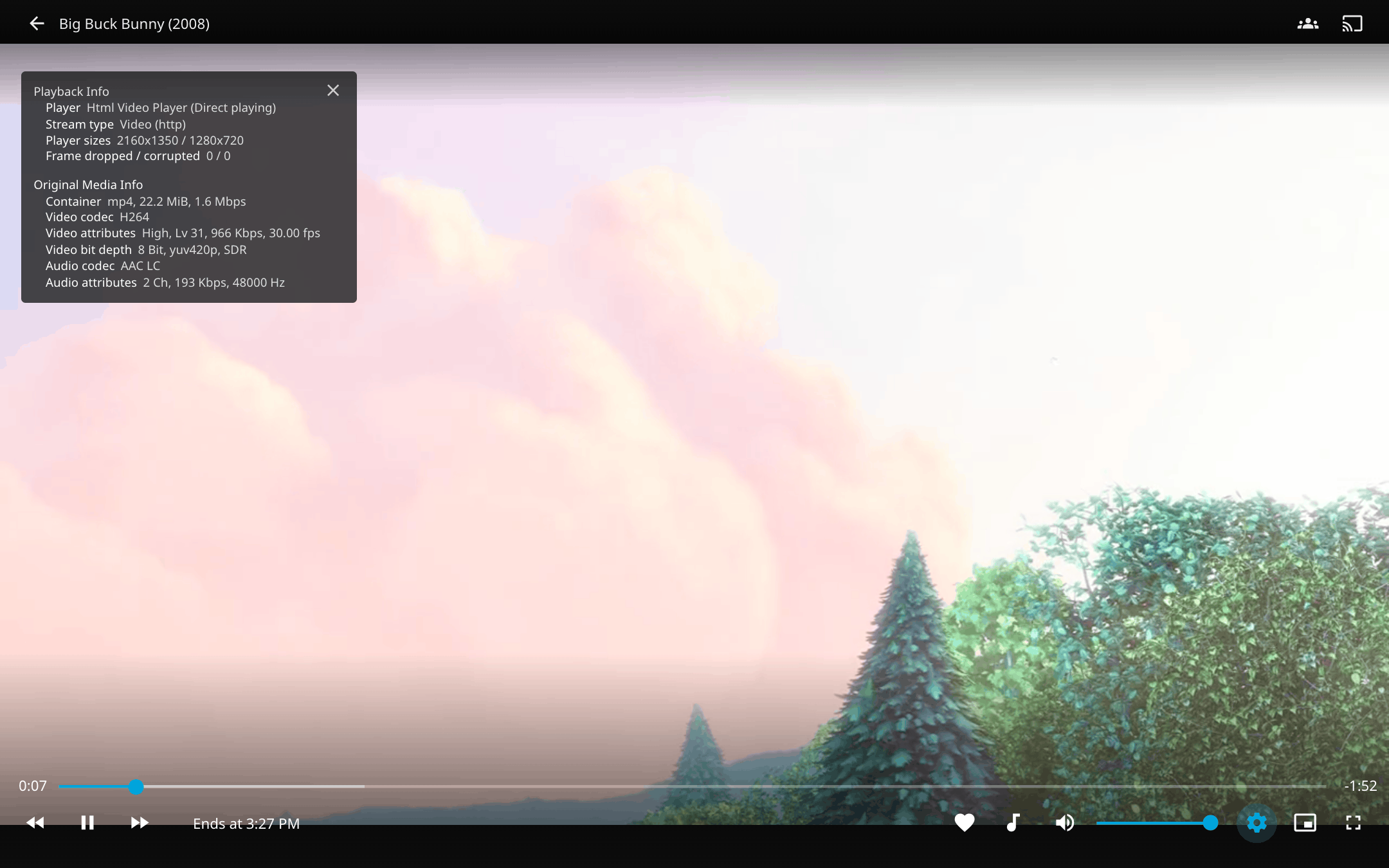
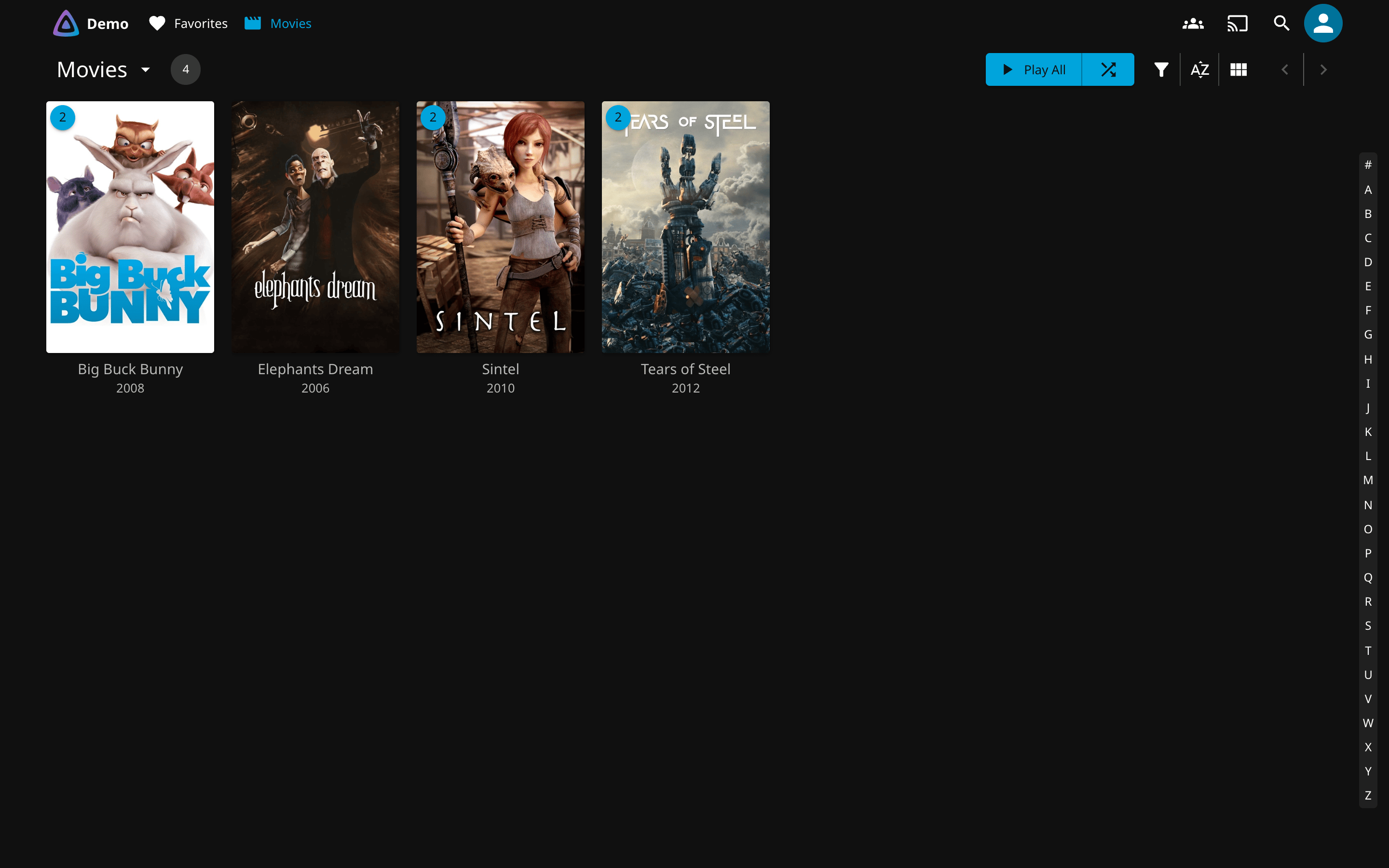
The library itself does not change: each title is listed once.
No Version menu? SYMLINK_TARGET_PREFIX is unset (the log has no Created version symlink line), the source
mount is read-only (Failed to create version symlink in the log), or the prefix is not the path Jellyfin's
container mounts the destination at (the link exists but Jellyfin ignores it). Jellyfin on another host: see
Cross-host manifest mode.
Hardware Acceleration
NVIDIA (NVENC)
Requires the NVIDIA Container Toolkit. Add a GPU reservation to your Compose file:
Set HW_ENCODING_TYPE: "nvidia". Supported encoders: hevc_nvenc, h264_nvenc, av1_nvenc.
Intel (Quick Sync Video)
Pass the render device into the container:
Set HW_ENCODING_TYPE: "intel". Supported encoders: hevc_qsv, h264_qsv, av1_qsv.
Decoding on the GPU
With a hardware encoder, the source is decoded and scaled to 720p on the same GPU, so the frames never pass through the CPU. Intel uses -hwaccel qsv with scale_qsv, NVIDIA uses -hwaccel cuda with scale_cuda. The encoder settings are the same as on the software path. For H.264 output the GPU converts to 8-bit 4:2:0 (nv12), so 10-bit sources still produce 8-bit H.264; HEVC and AV1 keep the source bit depth, as they do in software.
On 1080p sources this cut the CPU time of an encode by 10 to 16 times on an Intel iGPU, and by about 40 times on an NVIDIA card.
Every file still gets its encode:
- A source in a codec the GPU does not decode (for example MPEG-4 Part 2, which covers Xvid and DivX, on Intel) is decoded in software from the start.
- A source whose display matrix rotates or flips the picture (a phone video shot in portrait, say) is decoded in software too. FFmpeg does not rotate or flip GPU frames, so the encode would come out sideways or upside down.
- If the GPU run fails, or its output fails verification, the file is encoded again straight away with software decoding and scaling. This covers profiles the card refuses, such as 10-bit H.264.
- An FFmpeg run that has written nothing for 10 minutes is killed and counts as failed, so a GPU that stops answering falls back to software instead of holding the worker forever. Writing means the output file's size or modification time changed, so the in-place
+faststartrewrite at the end of an MP4 counts and FFmpeg's own log lines do not. A slow encode still writes every few seconds and is never stopped, and a freeze of the whole container (docker pause, a suspended host) restarts the clock instead of counting as a stall. - Verification of a GPU run also compares the encode's video length with the source's, because FFmpeg exits 0 when a decoder gives up part way. A video more than 2 s or 0.5% short fails and falls back to software. When the source has no per-stream length (some Matroska files lack the
DURATIONtag), that check is skipped rather than read the whole file. Software output is not length-checked: a timestamp jump in an MPEG-TS recording inflates the probed length, and the check would throw away a correct encode.
The log says which path each file took (Encoding succeeded (hardware decode) or (software decode)) and why a fallback happened. Set HW_DECODE: "false" to decode and scale in software as releases before this one did.
Software Fallback
If hardware acceleration is disabled or unavailable, the encoder falls back to libx265 (HEVC), libx264 (H.264), or libsvtav1 (AV1) using CRF-based quality control. Worker count scales to the number of available CPU cores.
Upgrading
Upgrading from < 1.1.0
Starting with v1.1.0, encoded outputs always include the version suffix (e.g., Movie - 720p.mkv instead of Movie.mkv). Existing encodes without the suffix will be re-encoded. To avoid this, rename them before upgrading:
# Dry-run (shows what would be renamed)
docker exec quality-gate-encoder python3 /app/scripts/migrate_encode_names.py

# Apply renames
docker exec quality-gate-encoder python3 /app/scripts/migrate_encode_names.py --apply
Upgrading to 1.4.0
Two behaviours change for an existing install; both are described under Polling interval.
- The source tree is scanned every 60 seconds instead of every second. Set
POLL_INTERVAL=1to keep the old cadence. - A video renamed inside the source tree, or a renamed folder, is now handled within one poll. Before, it waited for the next container restart. Since 1.5.2 the finished encode moves with it; 1.4.0 through 1.5.1 re-encoded it under the new name.
Moving from jellyfin-encoder
The image moved to drumsergio/quality-gate-encoder. Change the image name; every variable, path and file name
stays the same. Every release is also published as drumsergio/jellyfin-encoder until 2027-03-31, and those
images log a notice at startup; after that date the old name stays pullable but gets no new versions.