spinnaker-mcp




spinnaker-mcp connects Claude, Cursor or any other MCP client to a Spinnaker instance through its Gate API. Ask in plain words which executions of an application failed today and at which stage, what a stage returned, or what changed in a pipeline since its last revision; if you allow it, the assistant can also trigger, pause, resume or cancel the pipeline. Without it, the same answers mean opening each execution and stage in Deck, Spinnaker's UI, one at a time. It is one Go binary with 37 tools, 10 resources and 5 prompts, and it can start with only the 27 tools that read. Start with Getting started, then Usage for everything the assistant can read and do.
-
npm, Docker, Helm or a local build, and what each needs from your Gate.
-
The
mcpServersblock for Claude Code, Claude Desktop and Cursor, with your Gate URL and token. -
The 37 tools, which of them change Spinnaker, the 10 resources and the 5 prompts.
-
Every environment variable with its default, the toolsets, and the HTTP endpoints.
What the assistant sees
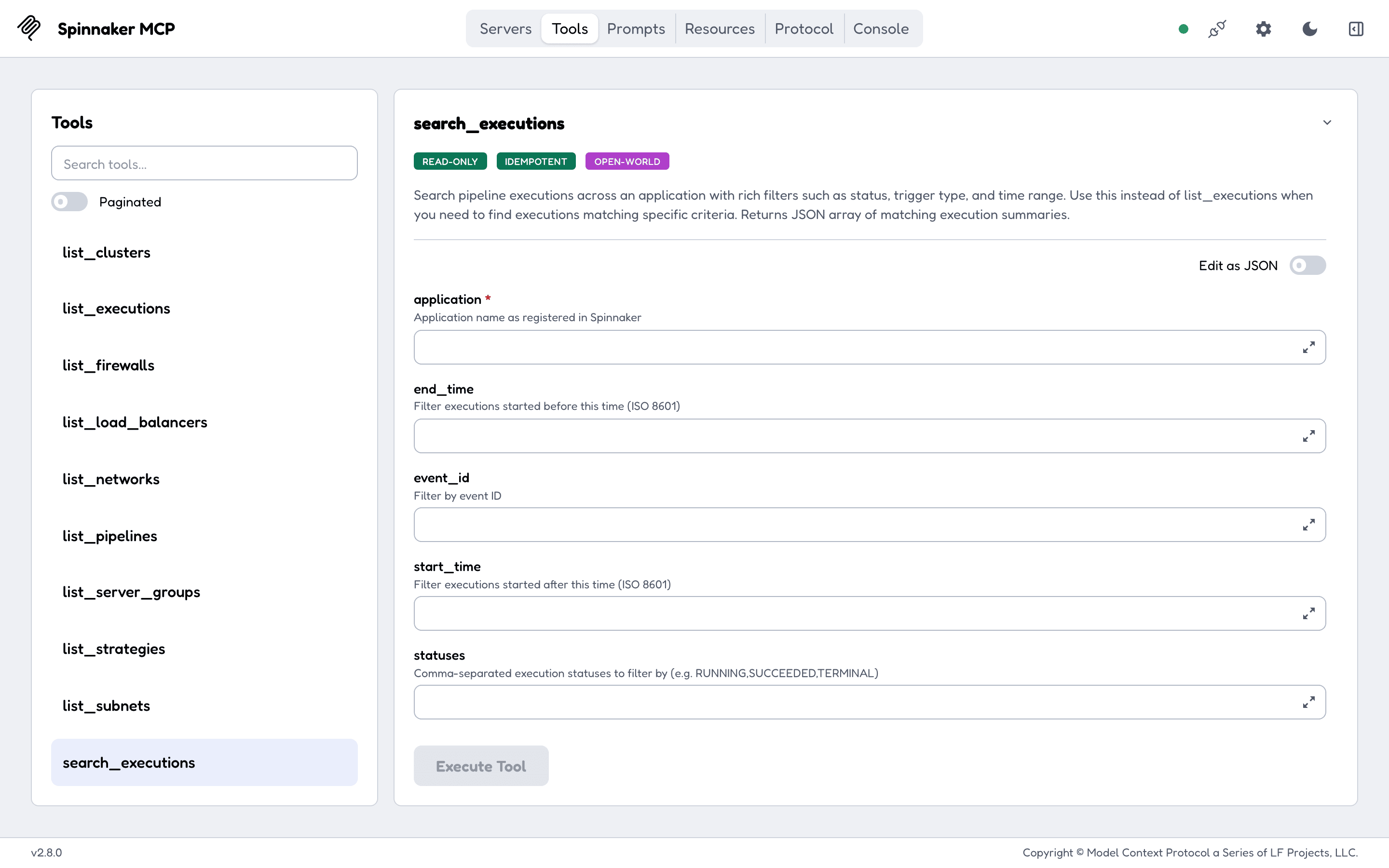
Started with TOOLSETS=readonly, the client is offered 27 tools and none of them can change Spinnaker. The resources give it the applications and accounts to start from (spinnaker://applications, spinnaker://application/{name}/executions), and the tools go deeper: an execution's stages and outputs, a cluster's server groups, an instance's console output. The full list is on Usage.
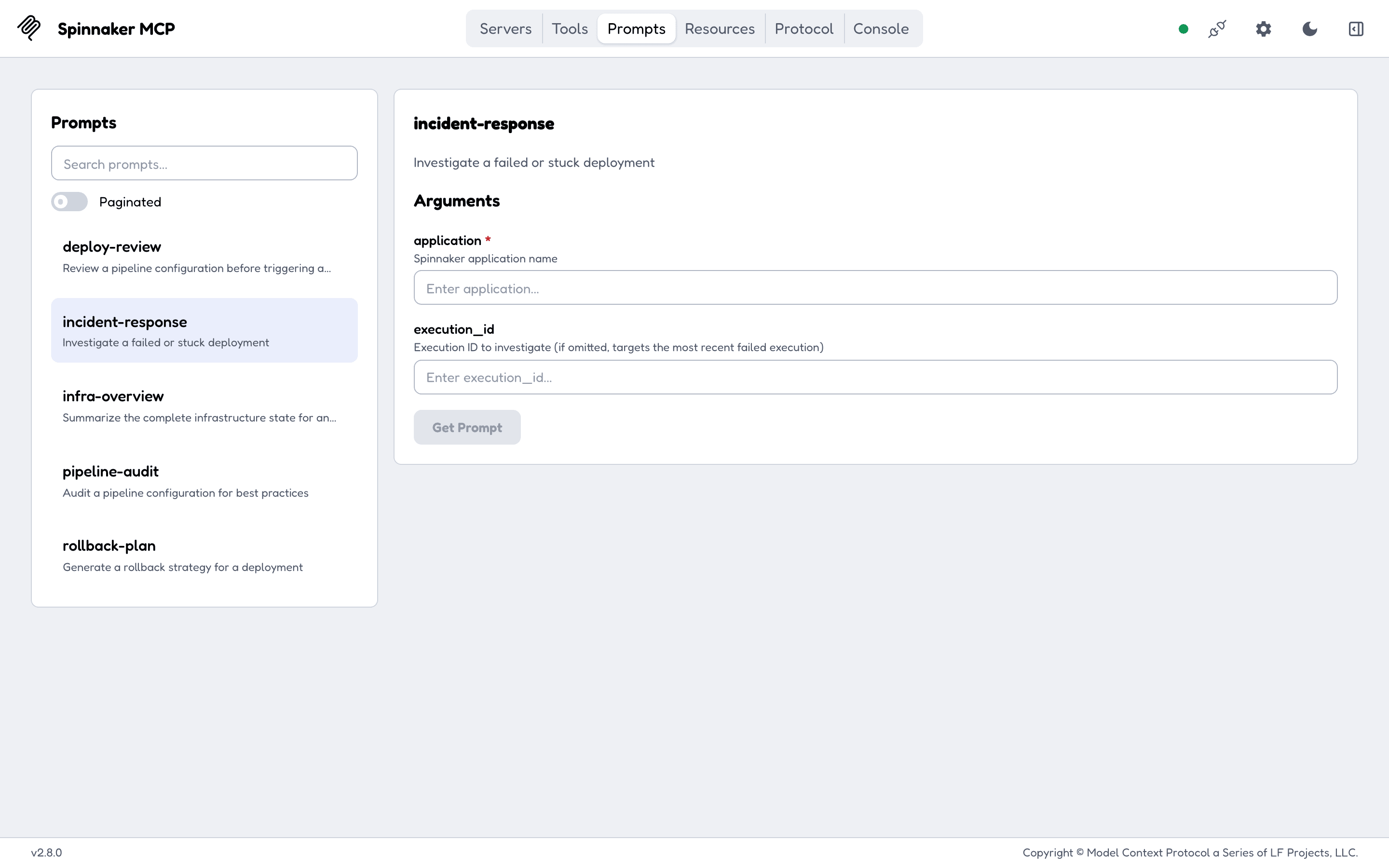
The five prompts are ready-made requests a client can offer as commands: review a pipeline before it runs, investigate a failed execution, audit a pipeline, summarise an application's infrastructure, and plan a rollback.
Read versus act
- 27 tools only read.
evaluate_expressionsends a SpEL expression to Gate in a POST and changes nothing; it is marked read-only too. - 10 tools change Spinnaker:
trigger_pipeline,save_pipeline,update_pipeline,delete_pipeline,cancel_execution,pause_execution,resume_execution,restart_stage,save_strategyanddelete_strategy. The two deletes are marked destructive, so a client that reads MCP tool annotations can ask before them. TOOLSETS=readonly(or--toolsets=readonly) registers only the 27. Groups such aspipelines,executionspick tools by area instead. See Toolsets.- The resources and prompts are always registered. Resources only read; a prompt returns text and calls nothing by itself.
How it runs
flowchart LR
    C[MCP client<br/>Claude Code, Claude Desktop, Cursor]
    S[spinnaker-mcp<br/>one Go binary]
    G[Spinnaker Gate<br/>port 8084]
    SP[Spinnaker services]
    C <-->|MCP over stdio,<br/>or HTTP on /mcp| S
    S <-->|HTTP, token, basic auth<br/>or x509 client cert| G
G <--> SP- Over stdio the client starts the binary itself.
npx -y spinnaker-mcpdownloads the binary for your platform and runs it that way, and the Docker image defaults to stdio too. - Over HTTP the binary serves
/mcp,/healthzand/readyzon127.0.0.1:8085. The Helm chart runs it this way in a pod. See HTTP transport. - Every call runs as the Gate identity you configure: a bearer token first, then basic auth, then an x509 client certificate. Spinnaker's own access rules apply to that identity.
- Binaries for Linux, macOS and Windows on amd64 and arm64, the npm package
spinnaker-mcp, the Docker imagedrumsergio/spinnaker-mcpand a Helm chart in the repository, all at one version. Install paths are on Getting started.
What it does not do
- The HTTP endpoint has no login of its own. Whoever reaches
/mcpacts with the Gate credentials the server holds. It listens on127.0.0.1unless you changeMCP_BIND_ADDR; the Helm chart listens on0.0.0.0inside the pod, so limit who reaches the Service or run it read-only. - It does not add permissions. It can do what its Gate identity can do in Spinnaker, and nothing more.
- It does not cover all of Gate. The 37 tools are the pipeline, execution, strategy and infrastructure calls; what comes next is on the roadmap.
- It stores nothing. There is no database and no cache; every tool reads Gate when it is called.
Getting help
/readyzanswers 503 with"gate_reachable": false: the server cannot reachGATE_URL. A 200 only proves Gate answered; a wrong token still passes it. See HTTP transport.- The server exits at start with
Invalid toolsets:all,readonlyormutatingwas combined with another value. See Toolsets. - Something else: open an issue with the server's log lines. A security problem goes through the security policy, never a public issue.
- Running the tests and trying the server in MCP Inspector: Development. The other MCP servers in the family and where this one is listed: Related projects.
License
spinnaker-mcp is released under the GPL-3.0-or-later license. It is built on mcp-go.