Dictation
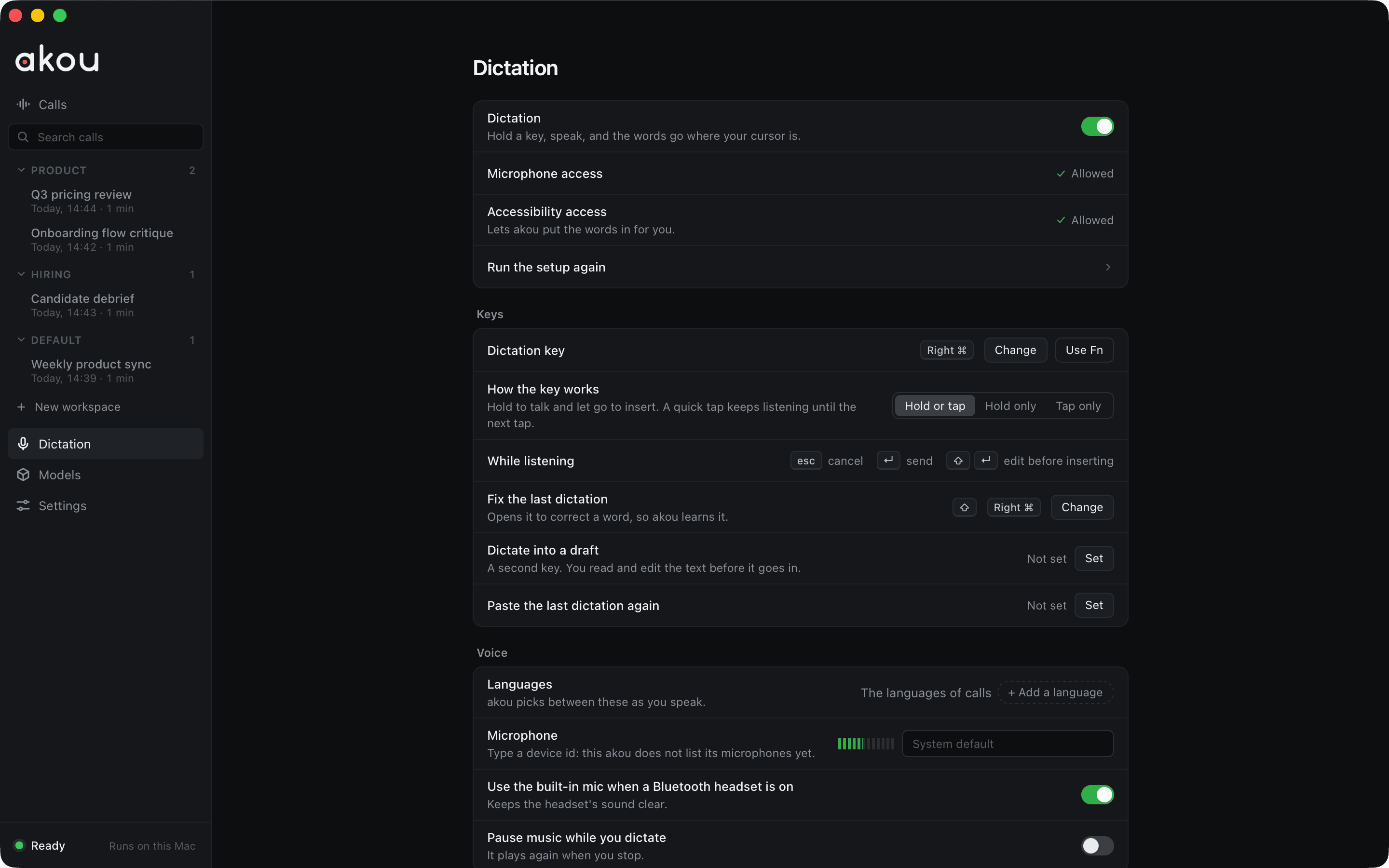
Hold a key, speak, let go, and akou types what you said where your cursor is, in whatever app has the keyboard. It runs on the same speech models as calls, on your Mac. Dictation ships in the macOS app only today.
Turning it on
The first run asks what you will use akou for: Calls, Dictation or Both. Pick Dictation or Both and the setup asks for the dictation key, the engine and your languages. Later, everything lives on the Dictation page in the sidebar, with Words and History under it.
Dictation needs the Accessibility grant, which you allow in System Settings, then Privacy & Security, then Accessibility. macOS uses it to let akou hear the key in any app and paste the words. Without it, the key does nothing yet; a dictation started from the menu bar item, akou dictate start or the API lands on the clipboard instead, and the island shows Copied · ⌘V.
The key
- Hold to talk. Hold the key, speak, and let go: the text goes in at the cursor. The default is Right Command. The Dictation page changes it, and Use Fn tests the Fn or Globe key.
- Tap to keep talking. A quick tap latches listening on, hands-free, until the next tap. A latched dictation stops by itself after 30 seconds without speech (
dictation.silenceStopSeconds). - While you talk, Escape cancels, Enter sends once the text is in, and Shift+Enter puts the text in the draft box instead.
- The first syllable is kept: after a dictation the mic stays open for 30 seconds, so a quick follow-up does not lose its start. This never happens on a Bluetooth headset, and with a headset as the default mic akou dictates on the built-in one, so the headset keeps its good sound.
The island
While you dictate, a black island at the top of the screen shows a dot the moment the key goes down, your words as you speak, then a check, or Copied · ⌘V when the words went to the clipboard. If the key does nothing, the island says why: a lost Accessibility grant, or Secure Input (a password field holds the keyboard, so a key chord cannot reach akou; a single key still works).
The words on the island show in a screen share, because akou cannot hide its windows from screen capture yet. Turn off dictation.pillPreview before sharing your screen if that matters.
The draft box
When an app cannot take the text, or when you ask for it (Shift+Enter, a second key you set, or a rule for that app), the words land in the draft box and are kept. You can edit them there, then Insert, Send, Copy, Retry on the other engine, or Discard. Words the engine was unsure of are underlined, and once two engines have read a dictation, clicking an underlined word offers what the other heard.
Speed or accuracy
| Engine | What it is |
|---|---|
fast |
Parakeet, already loaded for calls: about 0.1 s for 5 s of speech |
best |
Qwen3-ASR 1.7B, kept warm while dictation is on. Falls back to fast when it fails or is too slow, and says so |
auto |
best where Qwen runs on a GPU and is downloaded, fast elsewhere. The default |
remote |
Another akou you run, with one of its jobs keys, so this Mac needs no model of its own |
Qwen3-ASR is a separate download of about 2.5 GB; the setup's Speech models step lists it when you pick Dictation or Both. Languages lists the languages you speak; with more than one, auto chooses among them as you speak, and a language chip on the island switches it with a click.
Learning from your fixes
When you fix a word akou heard wrong, in the draft box or right in the app you dictated into, akou offers to learn it once, with Learn and Not a word. Ignore the offer and nothing changes. Before it offers, akou decodes the dictation again with the new word and offers it only if the audio agrees. A learned word is a replacement in dictation only; it never changes a call transcript. The Words page lists what akou learned and lets you add words and replacements yourself, so "example dot com" types example.com.
History
The History page lists your dictations, with search, insert again, fix and delete. Each keeps its audio by default, so Retry can decode it again on the other engine. Text and audio are kept for 30 days (dictation.retainDays); set dictation.keepAudio off to drop the audio as soon as the offer to learn is closed.
Rules per app
A rule for one app overrides the global choice there: open the draft box instead of inserting, type instead of paste, a different send key, engine or language. Rules match the app that had the keyboard when the dictation began. Nothing is typed into a password field, and nothing lands in a window other than the one where the dictation started.
Every dictation setting, with its default, is in Configuration.