Your first device
GenieACS manages a device once the device informs to it. A CPE (a router, an ONT, a set-top box) does that on its own when its ACS URL points at port 7547 of this container. Until you have hardware, the bundled simulator does the same thing.
Before the device: the console
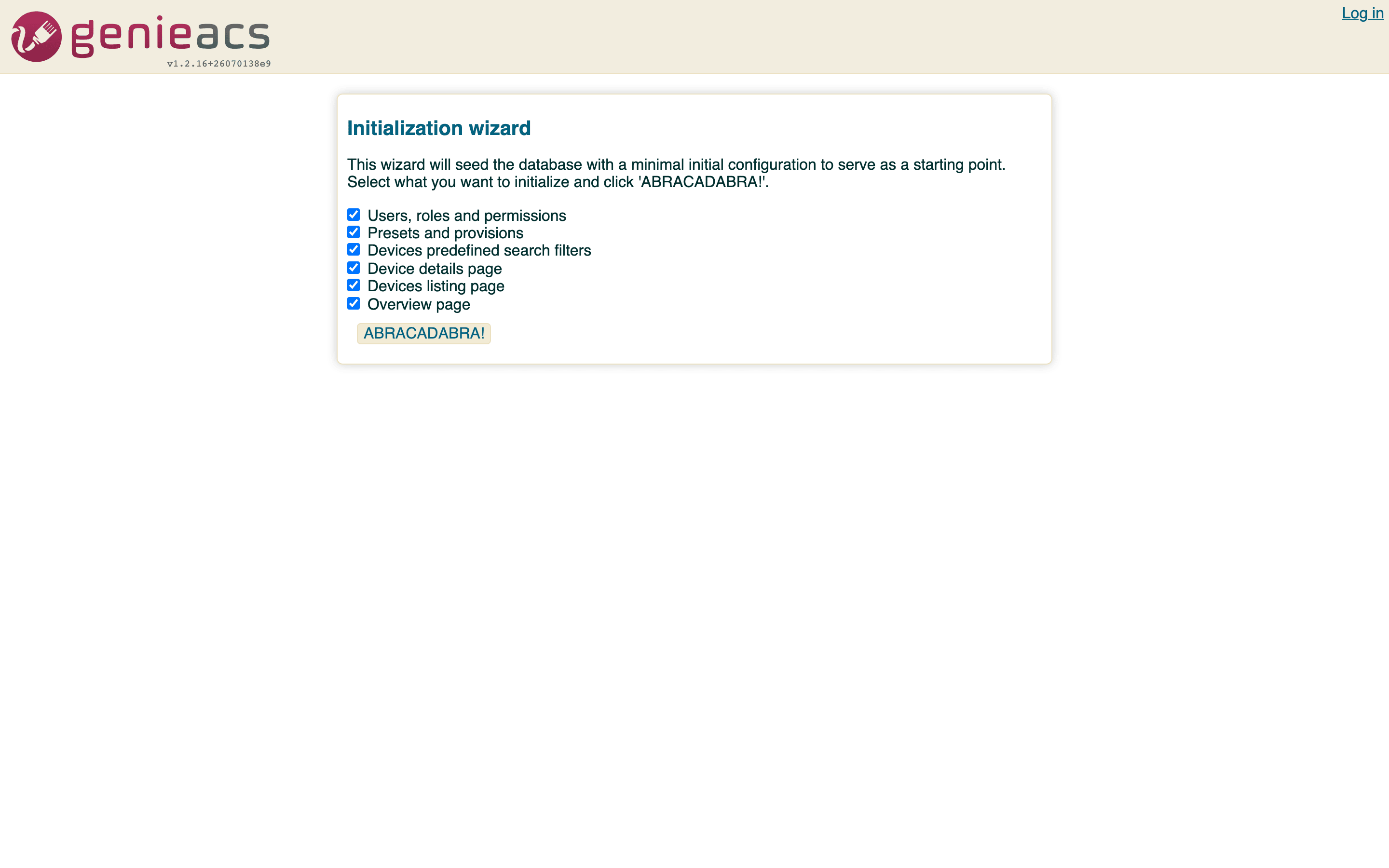
On its first visit, http://localhost:3000 shows the initialization wizard. Leave the six options ticked
and click ABRACADABRA!: it creates the admin / admin user, three presets (bootstrap, default,
inform), the device search filters, the Devices columns and the Overview chart. Log in as admin /
admin. To change the password, log out and use Change password on the login page, or edit the user
under Admin > Users.
A real CPE
- On the device, find the TR-069 (CWMP) settings. Consumer routers put them under Management or Administration; ONTs usually take them from the OLT's profile.
- Set the ACS URL to
http://<host>:7547/, where<host>is the address of the machine running Compose, or the address thegenieacs-cwmpService gets on Kubernetes. Leave the ACS username and password empty; the container does not require them. - Turn on periodic inform if the device has the switch. The
informpreset the wizard created sets the interval to 300 seconds on the first inform. - Reboot the device or save the settings. Its first inform reaches port 7547 within a minute, and the device appears under Devices with its serial number, product class and software version.
What working looks like: the Devices list has a row for the device, Last inform shows seconds ago, and
docker compose exec genieacs tail -n 20 /var/log/genieacs/genieacs-cwmp-access.log shows a line per
inform. If the row never appears, see Troubleshooting.
The simulator
docker-compose.yml ships the upstream GenieACS simulator as a profile:
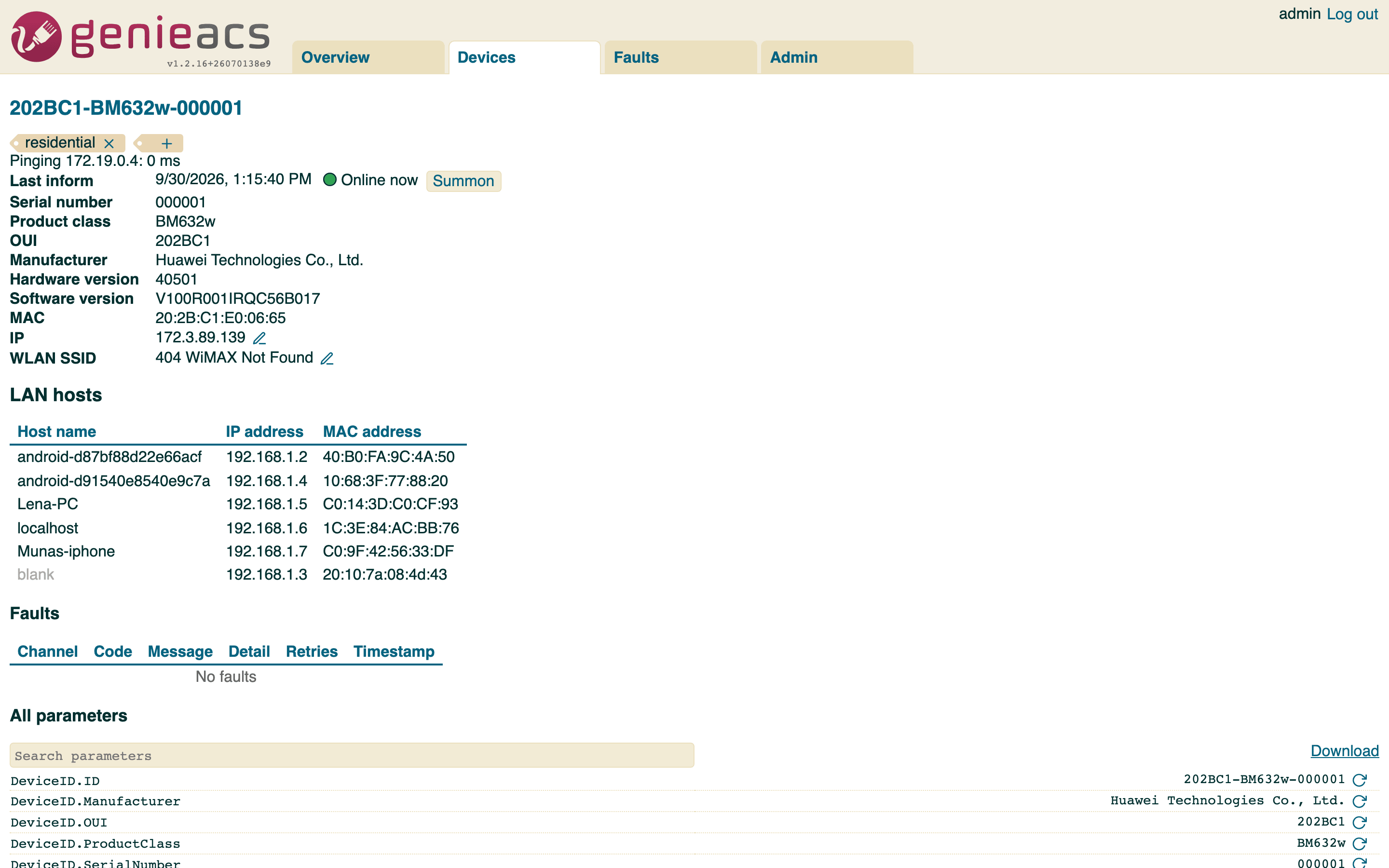
One fake device, 202BC1-BM632w-000000 (a Huawei BM632w data model with invented serials), informs to
genieacs:7547 inside the Compose network and appears under Devices within a few seconds. For more than
one, override the command in a docker-compose.override.yml:
-p 6 runs six devices, serials 000000 to 000005. The simulator's other options are on the
genieacs-sim-container page.
What you can do with a device
Open a device from the list. The page shows what the wizard configured: last inform, serial number, product class, OUI, manufacturer, hardware and software versions, MAC, IP, WLAN settings and the LAN hosts table, and the task buttons: Reboot, Reset, Push file, Delete. Tags on the device page are what presets target.