genieacs-mcp





genieacs-mcp is an MCP server for GenieACS, the open-source TR-069 ACS that manages routers, ONTs and other CPE devices. Add it to Claude Desktop, Cursor or any other MCP client and ask in plain words: which devices stopped informing last night, what firmware serial 000003 runs, reboot the ones tagged pilot. The assistant reads and acts through your GenieACS NBI with 7 resources and 12 tools; one Go binary, no database of its own. Start with Getting started, then Usage for what the assistant can read and do.
-
npm, Docker Compose or a local build, a demo ACS with simulated devices, and what the first exchange looks like.
-
The
mcpServersblock for Claude Desktop, Cursor and Claude Code over stdio, and theurlblock for a server you already run over HTTP. -
Example prompts, the 7 resources, the 12 tools with their arguments, and which of them change a device or the ACS.
-
Every environment variable with its default, and the HTTP transport's security model.
What the assistant sees
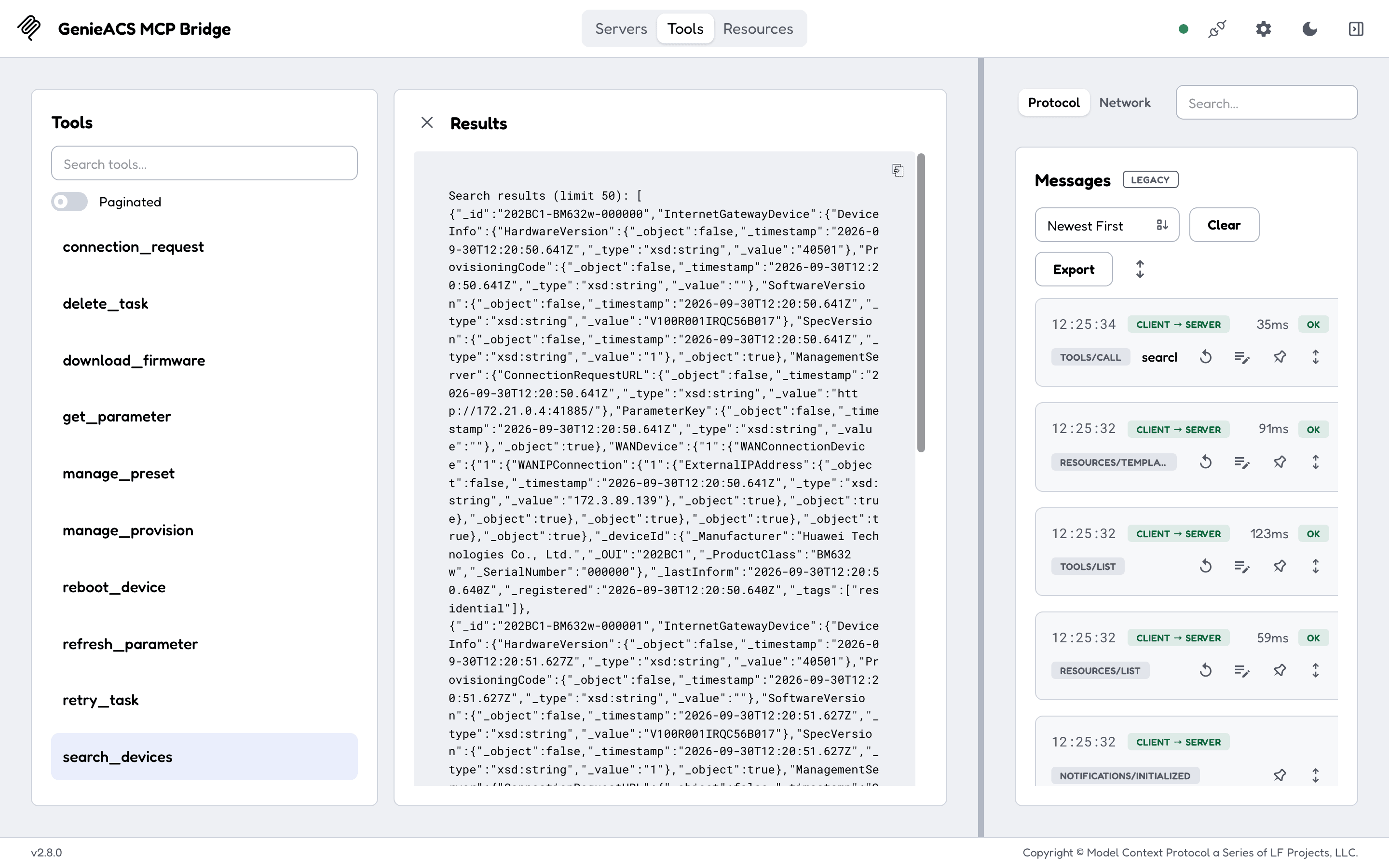
An MCP client sees 7 resources it can read (genieacs://devices/list, genieacs://device/{id}, tasks, faults, files, presets, provisions) and 12 tools it can call. search_devices takes a MongoDB-style filter, so "devices tagged residential" or "devices that last informed before yesterday" is one call. The tool list, the resource catalogue and a set_parameter call are shown on Usage.
Read versus act
search_devices,get_parameterand the seven resources only read the ACS;get_parameteranswers from the ACS cache without contacting the device.- The other ten tools queue a task on a device (reboot, firmware download, refresh or set a parameter), wake it with a connection request, or change the ACS (tags, presets, provisions, tasks). GenieACS sends the connection request at once, so a reachable device runs the task within seconds.
- There is no read-only mode. Point the server at an ACS you are willing to let an assistant act on, and keep your client's tool-approval prompts on. Usage marks every tool.
How it runs
flowchart LR
    C[MCP client<br/>Claude Desktop, Cursor, Claude Code]
    S[genieacs-mcp<br/>one Go binary]
    N[GenieACS NBI<br/>port 7557]
    D[CPE devices<br/>TR-069]
    C <-->|MCP over stdio or HTTP /mcp| S
    S <-->|HTTP| N
N <-->|CWMP| D- Over stdio the client starts the binary itself; that is what
npx -y genieacs-mcpdoes, and it is the mode for a local client. - Over HTTP the binary serves
/mcpon127.0.0.1:8080. Listening on any other address requiresMCP_AUTH_TOKEN, and every request'sHostandOriginare checked against DNS rebinding. See Configuration. - One static binary for Linux, macOS and Windows on amd64 and arm64, also an npm package and the Docker image
drumsergio/genieacs-mcp, one version number for all three.
What it does not do
- It does not talk to devices directly. Everything goes through the GenieACS NBI, so a device the ACS cannot reach (NAT, offline) fails the same way it would in the GenieACS UI: a
connection_requestreturns 504 and a queued task waits. - It does not confirm that a task ran. A tool answers with the task document the ACS returned; the device's own state, read afterwards from
genieacs://device/{id}, is the proof. - It does not store anything. No database, no cache of its own;
get_parameterreads the ACS's cache. - It does not upload files to the ACS yet;
upload_file,delete_fileand afiles/listresource are on the roadmap.
Getting help
- A call fails with 403
untrusted Host header: the client reached the server with aHostthe server does not know; add it toMCP_ALLOWED_HOSTSon Configuration. - A call fails with 401: the server has
MCP_AUTH_TOKENset and the client sent noAuthorization: Bearerheader; see Connect your client. initializesucceeds and every read fails with a connection error:ACS_URLis wrong; Getting started shows what that looks like.- Something else: open an issue with the server's log lines. A security problem goes through the security policy, never a public issue.
- Building, testing with MCP Inspector and sending a fix: Development. The GenieACS family, other MCP servers and where this one is listed: Related projects.
License
genieacs-mcp is released under the GPL-3.0-or-later license. It is built on mcp-go.