Quality Gate





Quality Gate is a Jellyfin plugin that caps the video height each user can be served: 480p, 720p, 1080p, 1440p or 4K, per user or as a default for everyone. The cap is measured on the file's real video stream, so a rename, a re-encode or a symlink does not get around it. Media above the cap arrives as a capped transcode, or as a smaller version of the same item when one exists, and the original file is refused. Jellyfin's own limit is a bitrate for remote clients, not a height: a low-bitrate 4K file passes it and a viewer on the local network is not limited at all. Start with Getting started, then read the settings page section by section in Usage.
-
Add the plugin repository to Jellyfin 12, install, cap one user at 720p and prove the cap holds with one
curl. -
The settings page section by section: policies, user access, version grouping and encode priority, each with a screenshot.
-
Keep a smaller copy beside each original and have Jellyfin show them as one film with two versions.
-
Every setting, its default, how a user's policy is chosen, and the fields that restrict nothing.
The settings page
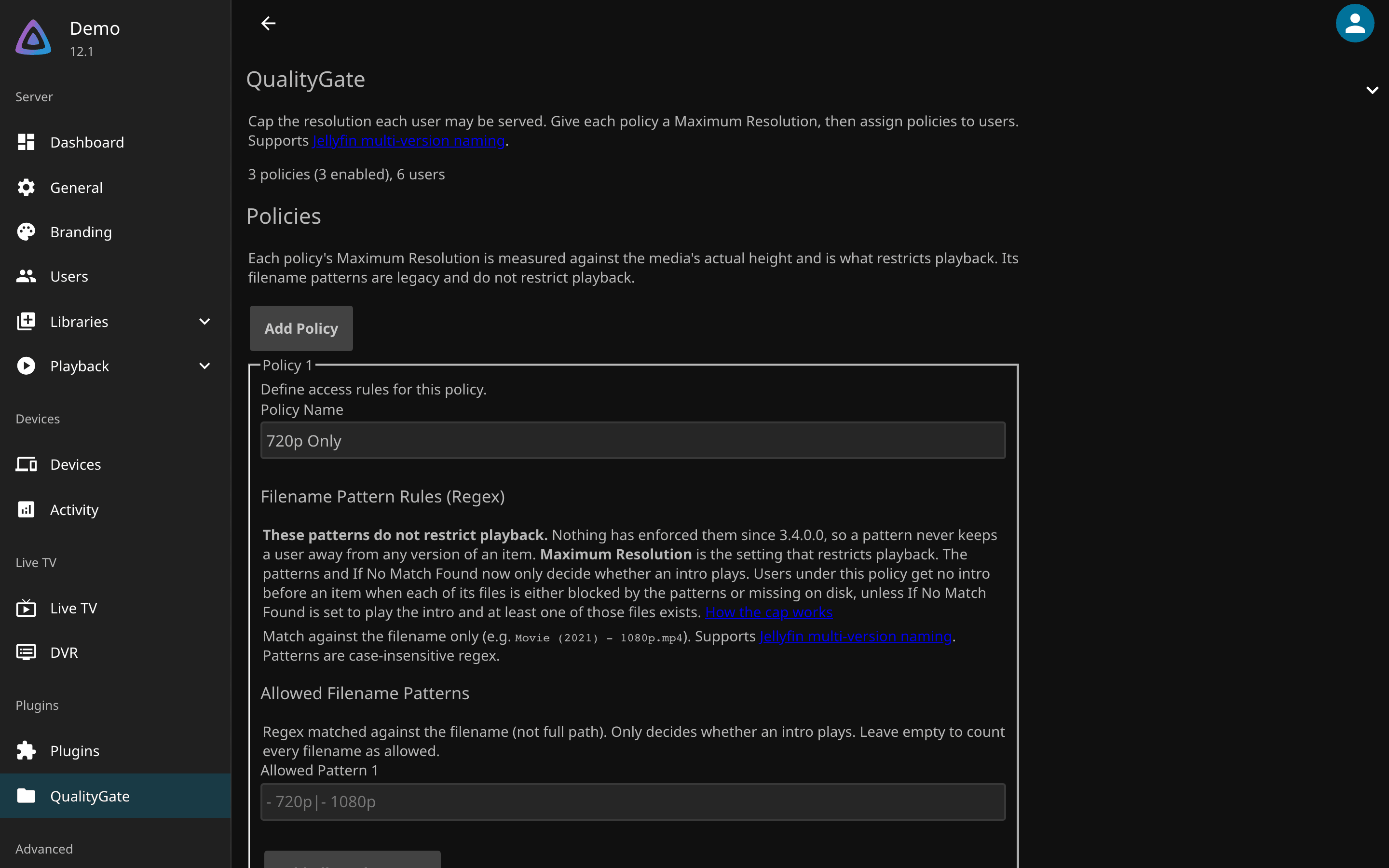
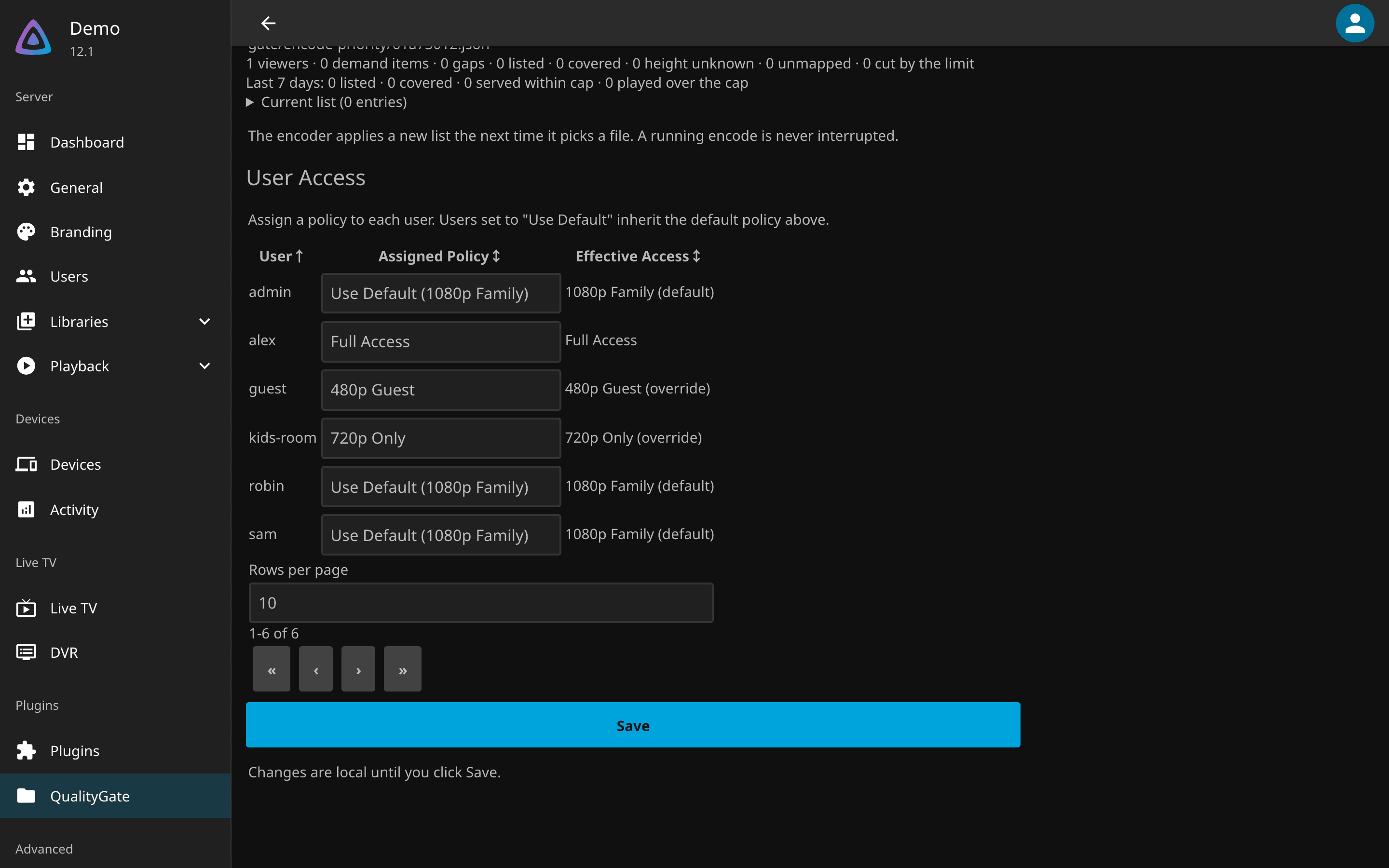
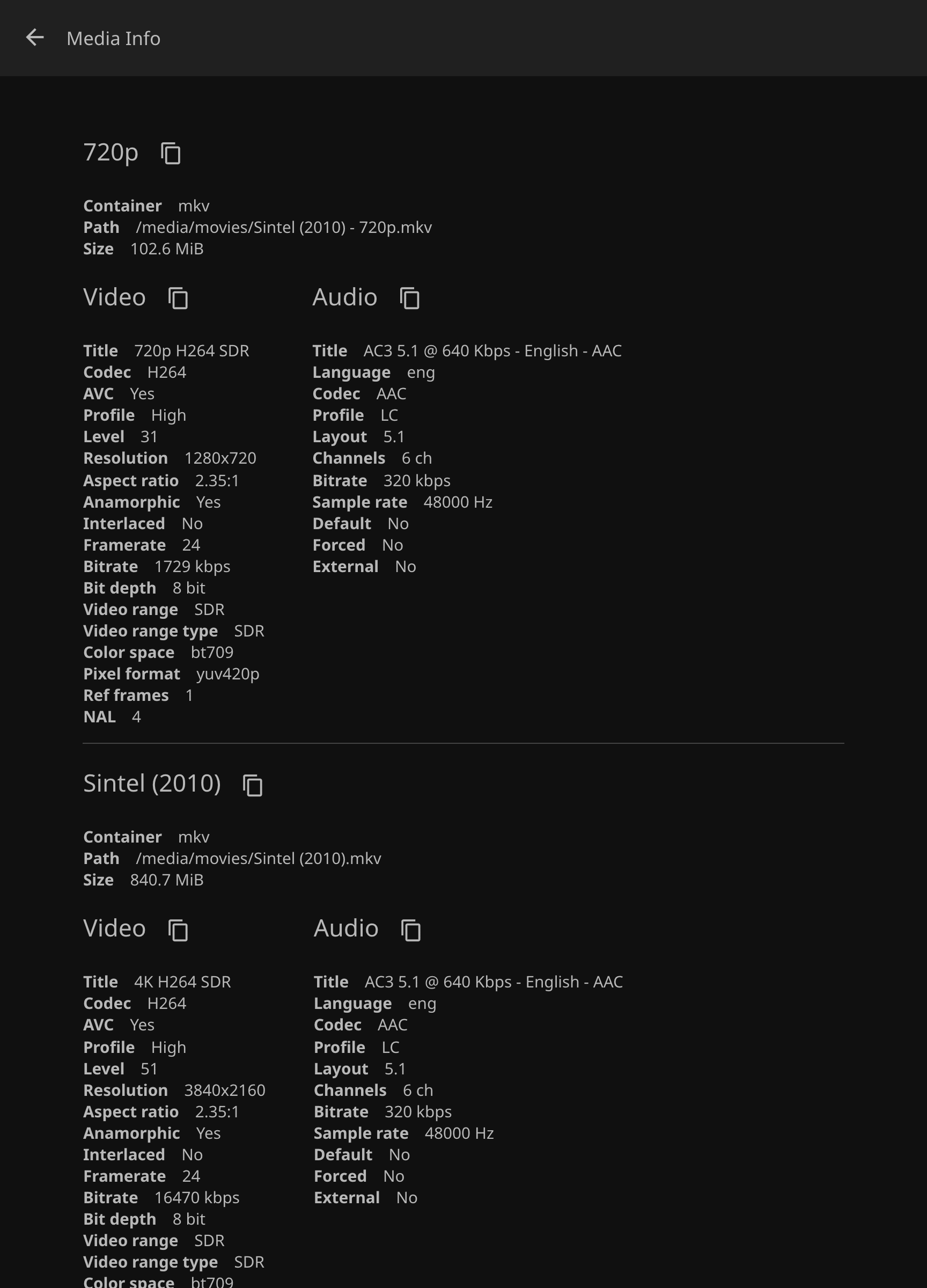
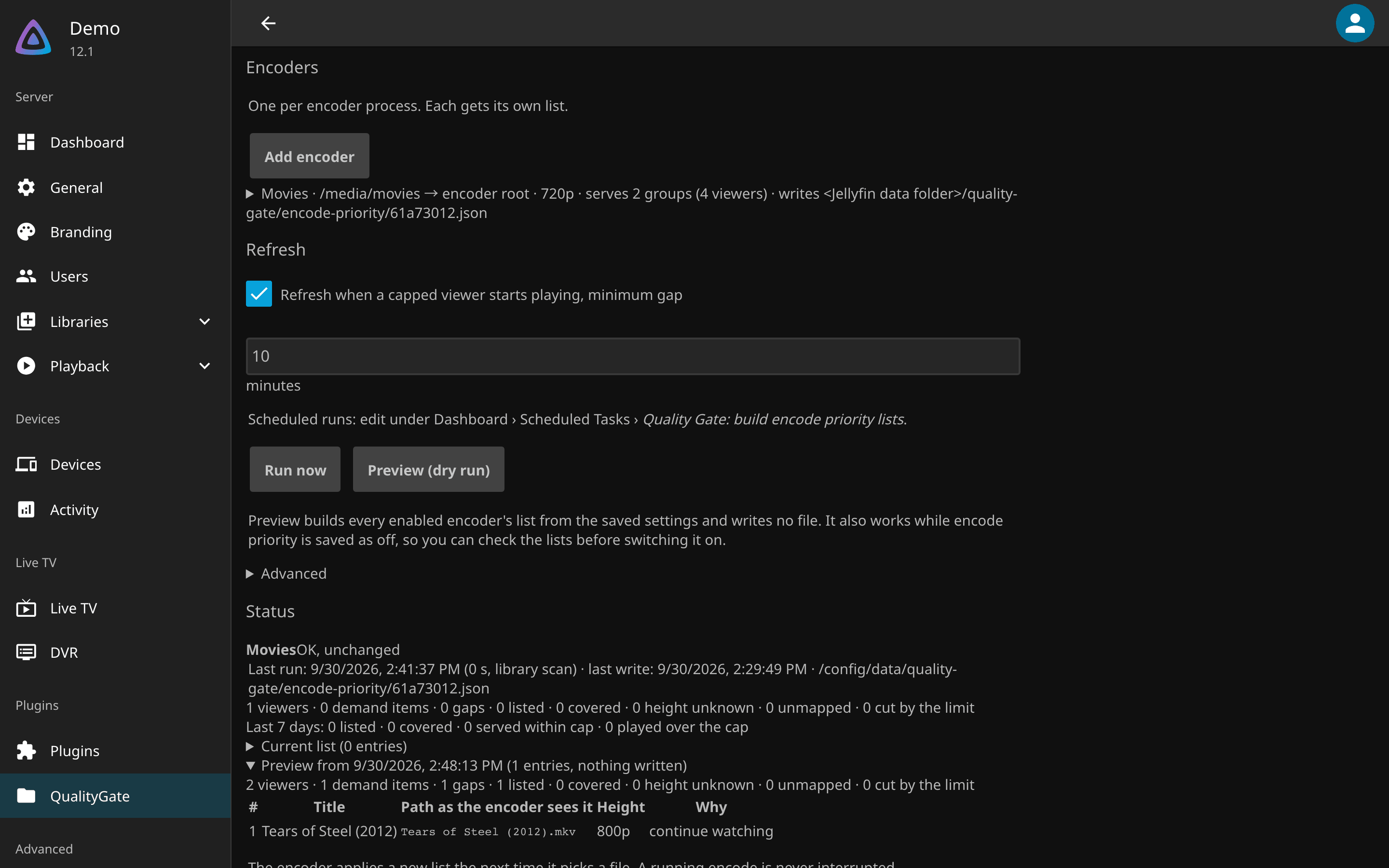
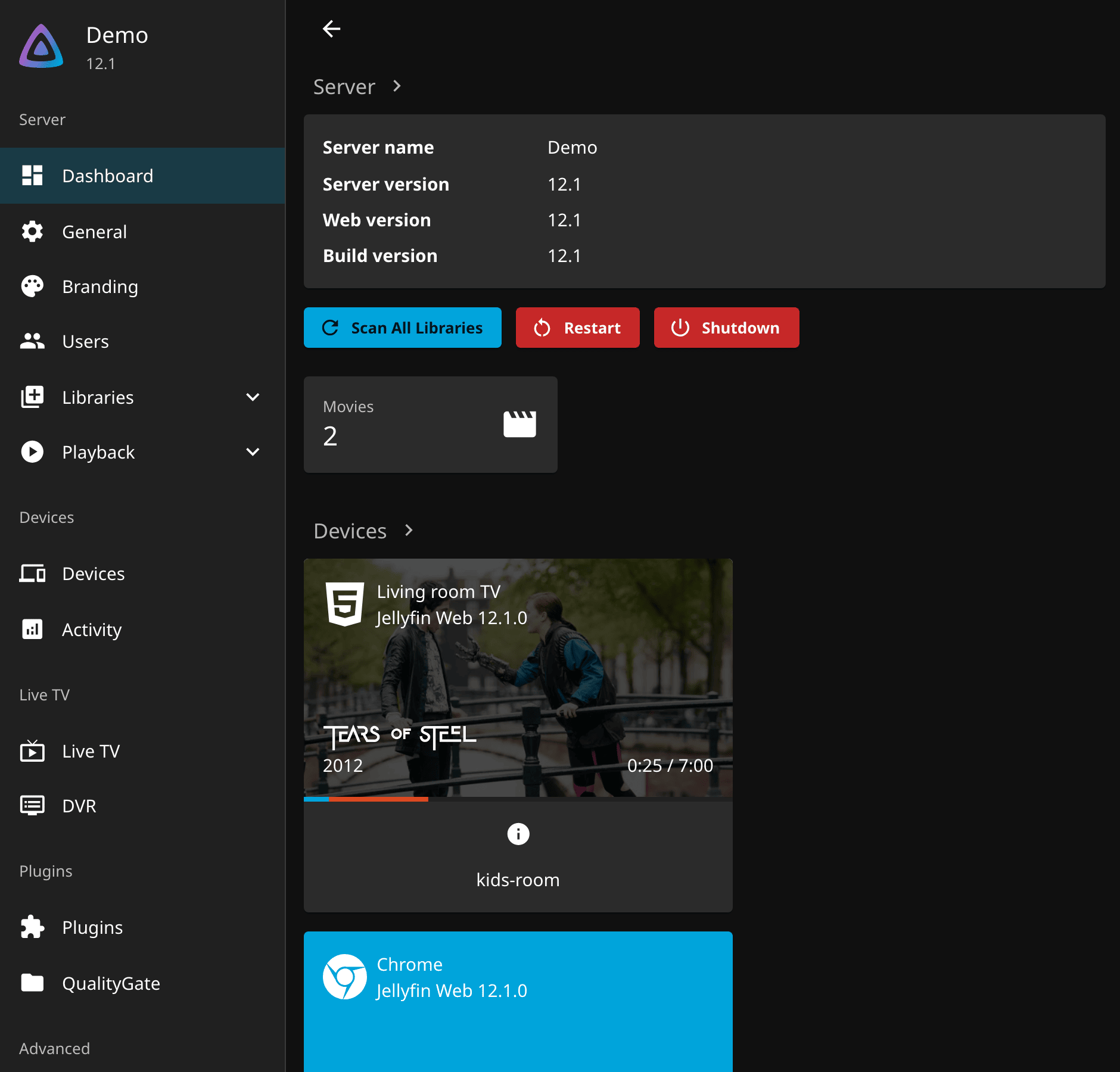
The screenshots come from a demo server running Jellyfin 12.1 with plugin 3.9.1.0, two of the Blender open films and invented users. A policy is a name and a Maximum Resolution; User Access assigns one per user or exempts a user with Full access; Version Grouping shows an encoded copy and its original as one film; Encode Priority tells quality-gate-encoder which files capped viewers need next.
What it does
- Caps at 480p, 720p, 1080p, 1440p or 4K, checked against the item's video stream, never its filename.
- One policy per user, a default for everyone else, and
Full accessto exempt someone. API keys and anonymous requests can be held to a policy of their own. - A capped user cannot direct-play, stream, download or fetch the original file; a within-cap copy plays as it is, and anything else arrives as a capped transcode.
- Optional version grouping for movies libraries, rebuilt on every scan, and encode priority for the encoder that makes the copies.
- A different intro video per policy, and a log line for every decision naming the user, the cap and the policy (Configuration).
How it runs
flowchart LR
    C[Client]
    F[ResolutionCapFilter<br/>inside Jellyfin]
    S[Jellyfin StreamBuilder]
    C -->|POST /Items/id/PlaybackInfo| F
    F -->|adds Height at most the cap<br/>to the device profile| S
    S -->|within-cap version,<br/>or a capped transcode| C
    C -->|/Download, /stream, HLS| F
F -->|403 above the cap| C- The plugin registers one global MVC filter and one intro provider; nothing runs outside Jellyfin's own process. How it works lists every route it inspects.
- Negotiation gets a required
Heightcondition, so Jellyfin itself offers the within-cap version or a capped transcode; the direct delivery routes answer403for an item above the cap. - Policies live in
config/plugins/configurations/Jellyfin.Plugin.QualityGate.xml, outside the plugin folder, so an upgrade or a reinstall never touches them.
What it does not do
- It is not DRM. A user who can read the filesystem, or who already holds a copy, is out of scope.
- One legacy HLS segment route cannot be mapped back to an item and is not covered.
- If the plugin fails to load, every user is unrestricted and Jellyfin reports nothing. Watch that it stays Active; Troubleshooting says how it can vanish.
- Media Jellyfin has never probed has no height: it is allowed and logged, and negotiation still transcodes it at the cap.
- Version grouping applies to movies libraries; Jellyfin already groups television on its own.
Getting help
- Something broken: work down Troubleshooting, then open an issue with the plugin version, the Jellyfin version and the log line for the decision.
- A security problem: follow the security policy, never a public issue.
- What changed between versions: the releases on GitHub. Building from source and cutting a release: Development.
- The encoder and the rest of the family: Related projects.
License
Quality Gate is released under the GPL-3.0-or-later license. Thanks to Jellyfin and its plugin community.