Getting started
What you need
- Docker.
- About 2 GB of disk for the image.
- An amd64 machine, or an Apple Silicon Mac whose Docker emulates amd64 with Rosetta, with
--platform linux/amd64on everydocker buildanddocker runbelow. The image's base,selenium/standalone-edge:153.0, has no arm64 build. Under QEMU emulation the image builds but Chromium crashes at launch, so on Colima start the VM with--vm-type vz --vz-rosetta, and in Docker Desktop turn on "Use Rosetta for x86_64/amd64 emulation on Apple Silicon" (Troubleshooting). - A project folder Docker can mount. On a Mac, Docker runs in a VM that sees only the folders it shares; Colima shares your home folder by default.
- The address of the site you want to copy, and the pages you want.
Point it at your site
Open src/main2.py and replace www.place.holder with your site's host on lines 27, 71 and 72, then put the pages you want on line 34. For the front page of example.com the four lines read:
    web = "https://example.com/"                                        # line 27
    return ["https://example.com/"]                                     # line 34
            if tag[attribute_name].startswith("https://example.com/"):  # line 71
                tag[attribute_name] = tag[attribute_name].replace("https://example.com", "")  # line 72
Configuration explains each line, and how to save every page of the site's sitemap instead of a list.
Build and run
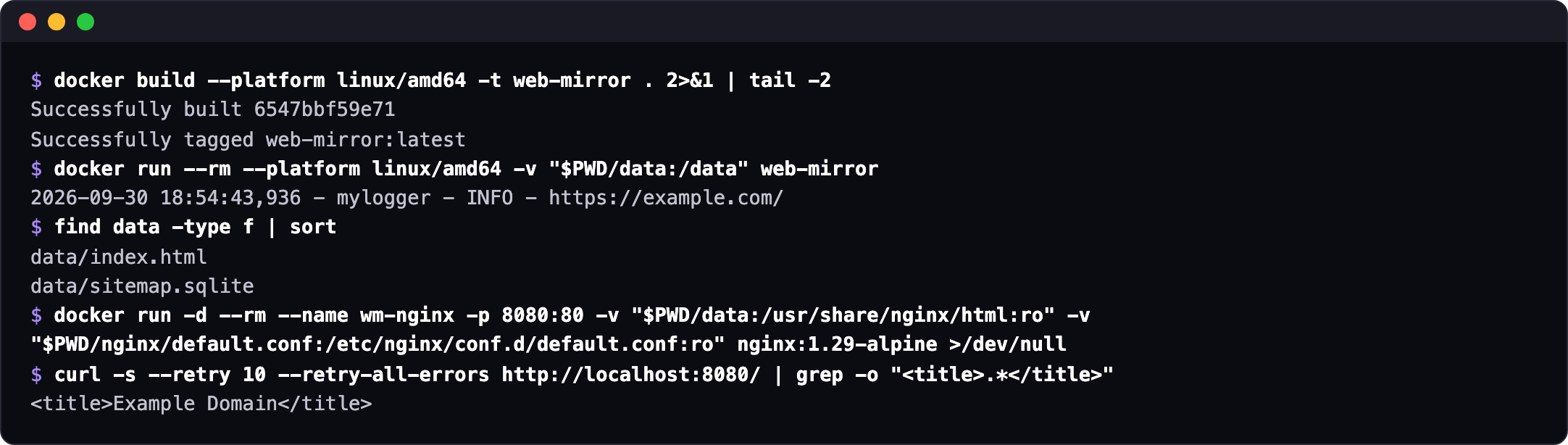
On an Apple Silicon Mac, docker build --platform linux/amd64 -t web-mirror . and docker run --rm --platform linux/amd64 -v "$PWD/data:/data" web-mirror. Without the flag the build stops at its first step (Troubleshooting). The build downloads about 2 GB and took under 5 minutes under Rosetta on an M-series Mac mini; the run of one page took a few seconds.
What "it worked" looks like
$ docker run --rm --platform linux/amd64 -v "$PWD/data:/data" web-mirror
2026-09-30 18:54:43,936 - mylogger - INFO - https://example.com/
$ find data -type f | sort
data/index.html
data/sitemap.sqlite
The run logs one line per page and exits. The copy is in ./data: index.html is the saved page, sitemap.sqlite the cache of the sitemap request. Usage shows where other pages land.
Serve it
docker run --rm -p 8080:80 \
  -v "$PWD/data:/usr/share/nginx/html:ro" \
  -v "$PWD/nginx/default.conf:/etc/nginx/conf.d/default.conf:ro" \
  nginx:1.29-alpine
Open http://localhost:8080. Next: Usage for running it again and using the published image without a build, How it works for what the copy contains.