VPN Bypass





VPN Bypass is a macOS menu bar app that decides which traffic goes through your VPN. In Bypass mode the services and domains you pick go straight to the internet and everything else stays on the VPN. VPN Only mode is the reverse, and Custom mode gives each rule its own exit. Install it with Homebrew, then pick a mode in Routing modes.
Corporate VPN clients send everything through the tunnel, so streaming stalls, AirPlay and Chromecast break, and personal traffic crosses the company network. Most clients lock their own split tunnelling, and a route added by hand is gone at the next reconnect or when a CDN moves. VPN Bypass adds the routes for you and puts them back every time the VPN or the network changes.
-
Three Homebrew lines, or the DMG from Releases. Needs macOS 13 or later.
-
Approve one admin prompt, connect your VPN, turn on a service, and see what "working" looks like.
-
The dropdown, the Settings tabs, the
vpnbcommand line and the MCP server for AI agents. -
Bypass, VPN Only and Custom: routes, rules and the first-match order.
The menu bar app
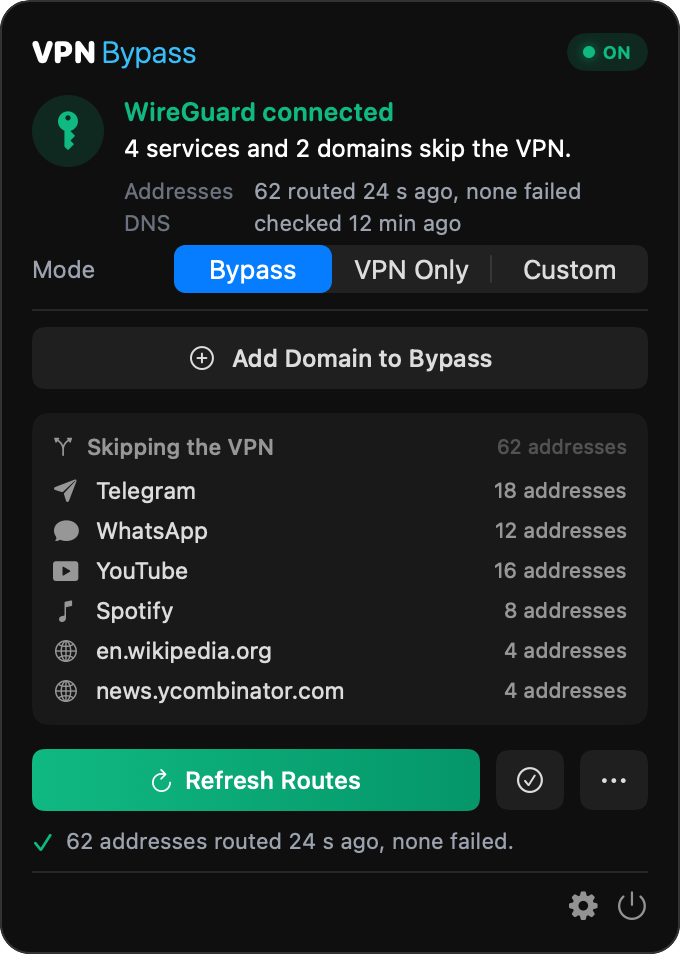
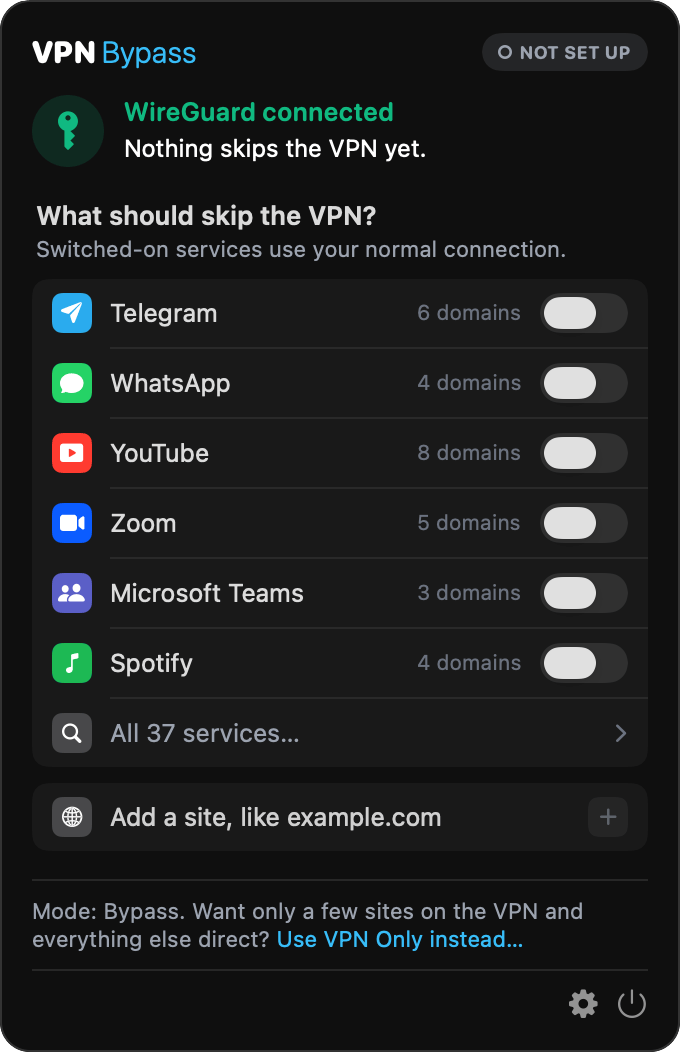
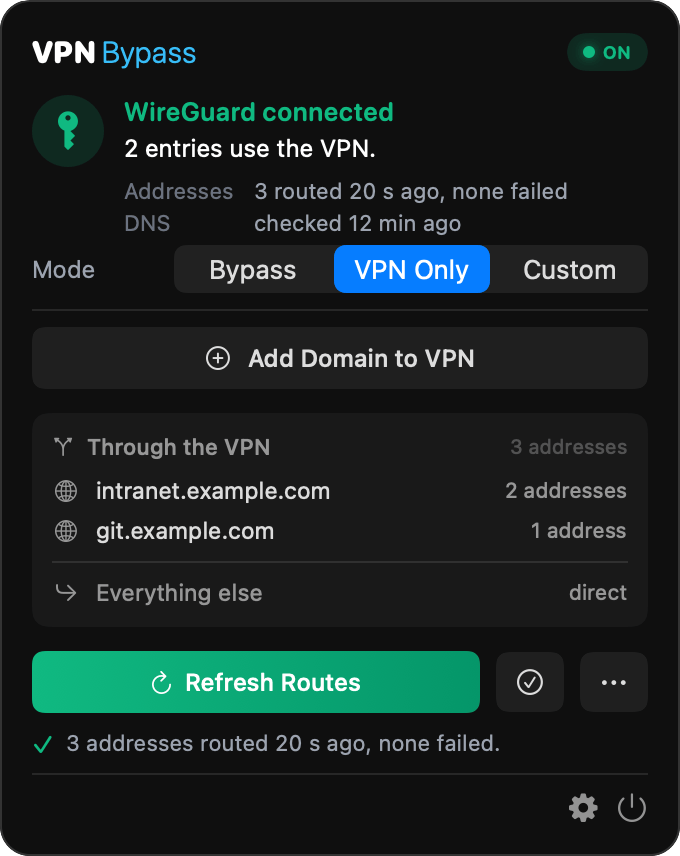
Everything lives in the dropdown: the VPN it found, a pill that says whether routes are enforced, the Mode switch, a field to add a domain, and what is routed, one row per service or domain you added. Settings opens from the gear at its foot. See Usage.
Settings
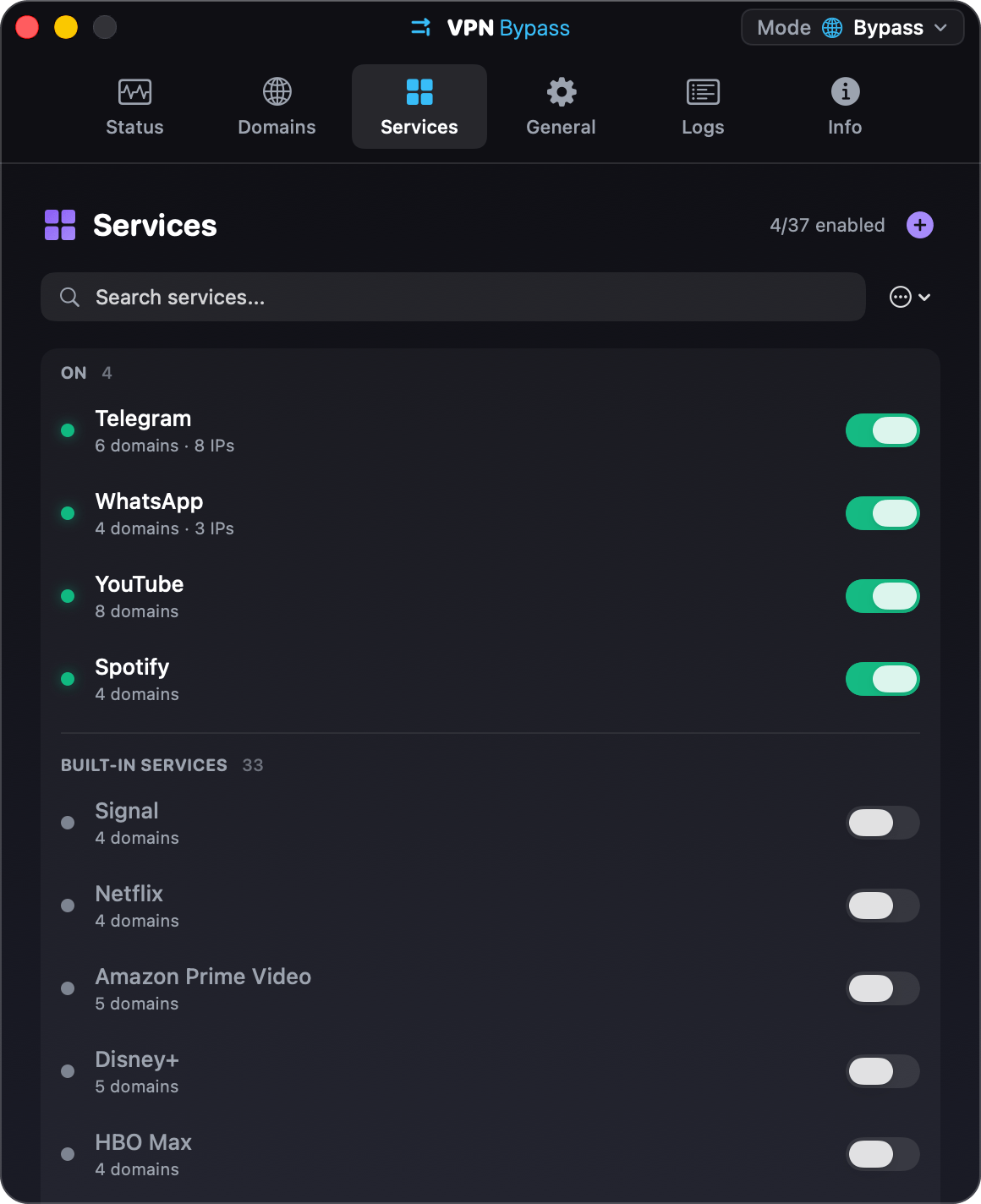
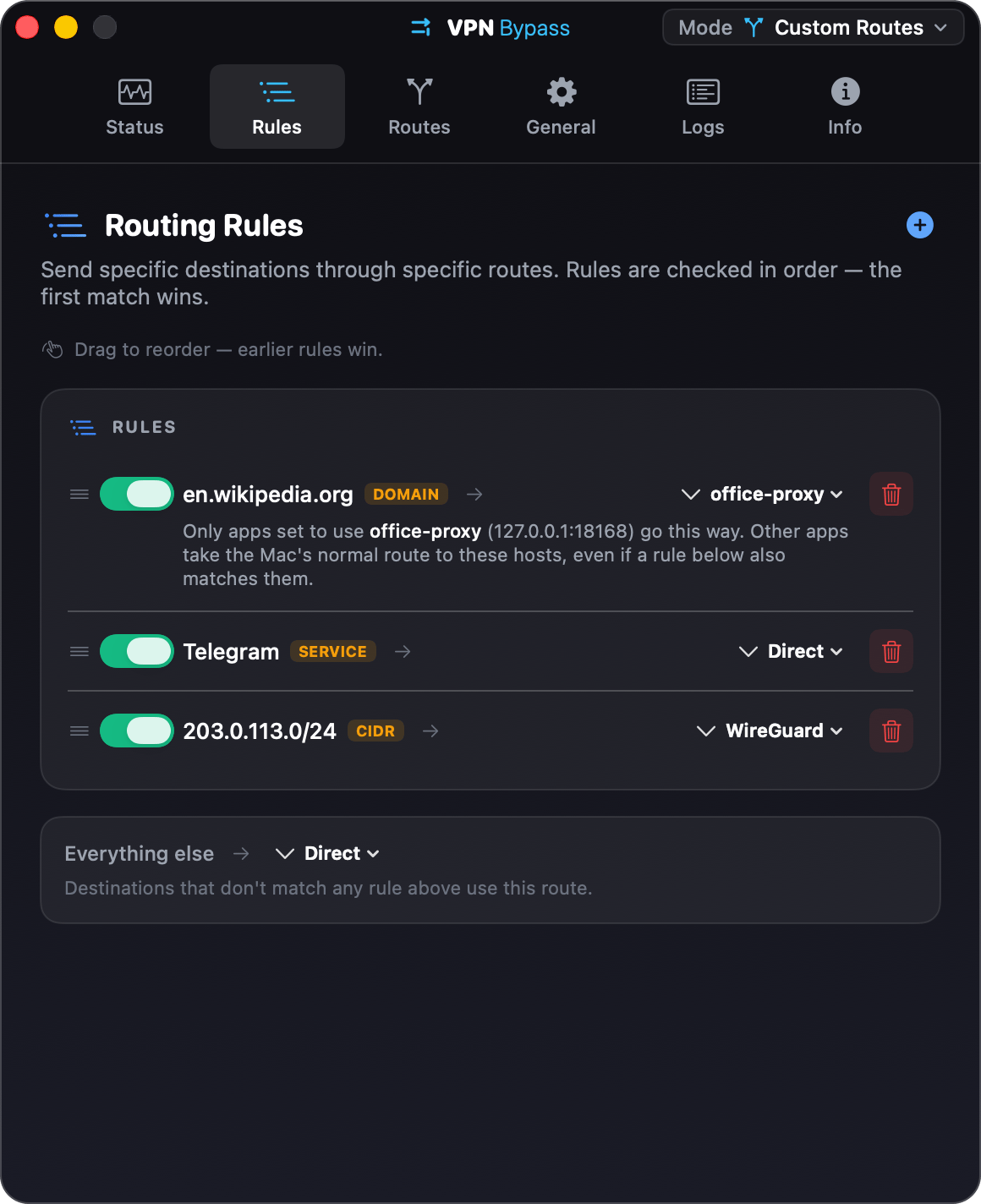
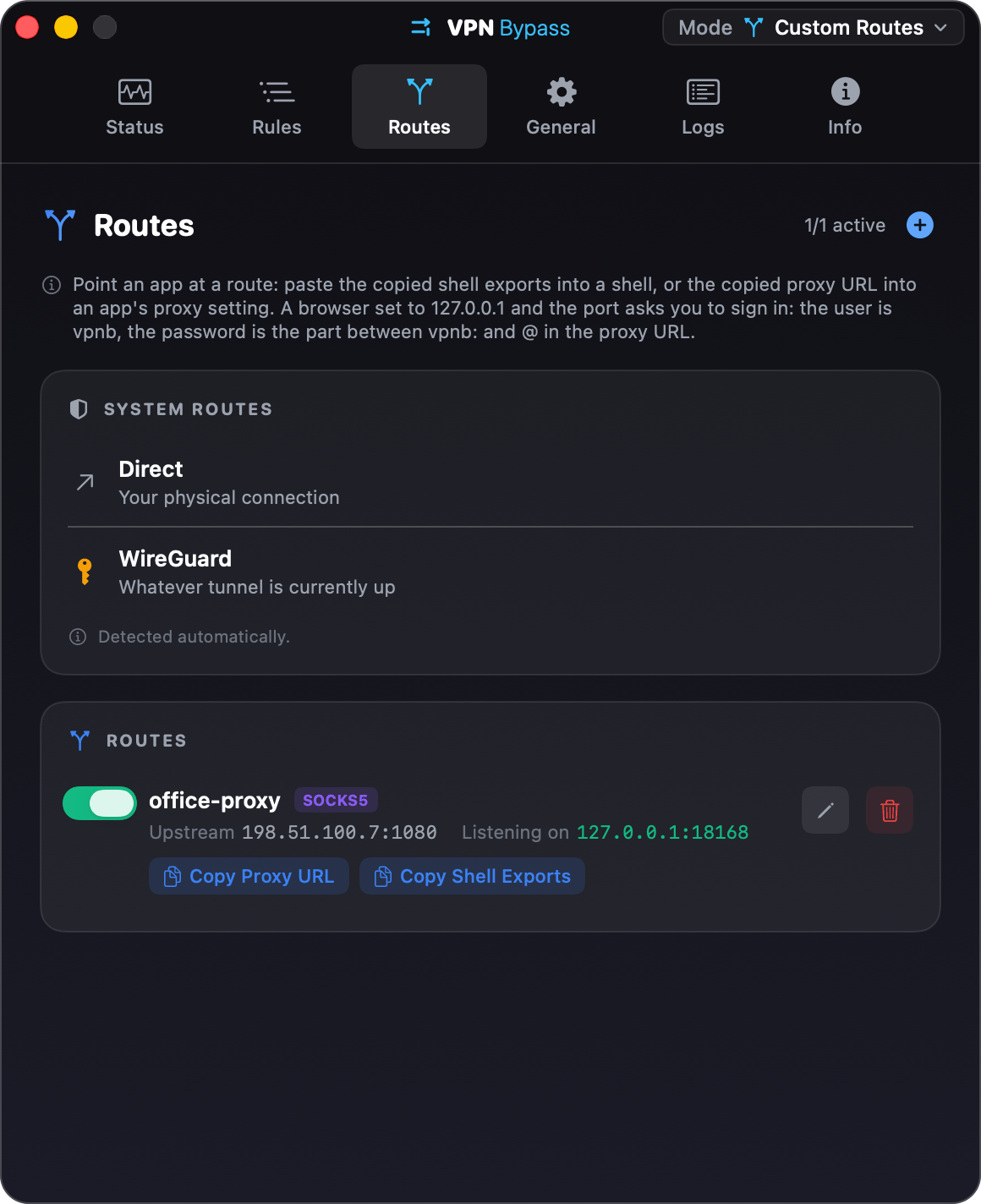
Status comes first and says whether it is working right now: the helper, the VPN and gateway, the routes, DNS, the tunnels and recent warnings. Bypass and VPN Only use the Domains and Services tabs. Custom mode swaps them for Rules and Routes. General holds launch at login, /etc/hosts and notifications; Logs and Info are for debugging. See Settings.
What it changes on your Mac
- Host routes in the system routing table, one per resolved address of each domain or service pack you turned on. In Bypass mode they point at your local gateway, in VPN Only mode at the VPN interface, in Custom mode at whatever the matching rule says. The app removes its routes when you quit, when you choose Remove All Routes…, and when the VPN goes away.
- Entries in
/etc/hosts, only if you turn on DNS bypass in Settings > General. - One small root helper, installed once with your admin password as a launchd daemon. It is the only part that runs as root, it does nothing but add and remove routes and hosts entries, and it accepts requests from this app alone (pinned to the app's code hash). There is no Network Extension and no kernel extension, so nothing to approve in System Settings beyond the Login Items entry on macOS 13 and later.
- A config file and a log under
~/Library/Application Support/VPNBypass/, plus a socket there that only your account can open, which is whatvpnband the MCP server talk to.
How it runs
flowchart LR
    U[You] --> M[Menu bar app]
    C[vpnb CLI] -->|user-only socket| M
    A[MCP server] -->|user-only socket| M
    N[VPN connects, disconnects,<br/>network changes] --> M
    M -->|resolves| D[Domains and service packs]
    M -->|XPC| H[Root helper]
    H --> R[Routing table]
H -.->|optional| E["/etc/hosts"]- The app watches the network interfaces and running processes. A tunnel counts as a VPN when it is up and has an IPv4 address in a VPN range; Tailscale counts only when it is an exit node. See Supported VPN types.
- When the VPN connects, disconnects, or the network changes, the routes are rebuilt. Domains are re-resolved on a schedule, so a route follows a CDN when its addresses rotate.
- With several tunnels up, Bypass and VPN Only act on one and leave the others alone; in Custom mode a VPN route can name a specific tunnel. See Other VPNs and proxies.
- Route verification pings up to 10 routed single addresses, shows which ones answer, and says how many of the routes it checked.
- A proxy route is a listener on
127.0.0.1that forwards to the proxy you gave it; a Tailscale peer route sends traffic out through a device already in your tailnet. The app runs no VPN of its own.
What it does not do
- It does not route per application. Rules are about where traffic goes, never about which process sent it; that would need a Network Extension, which the app deliberately does not use.
- It never touches Tailscale's own range, loopback, or kernel-reserved addresses, whatever a rule asks for, and it never picks Tailscale as the VPN to act on. See Addresses that are never touched.
- It is not notarized. The app is signed ad hoc, so Gatekeeper may call it damaged on first launch. The one-line fix is in Troubleshooting.
- It does not change what your VPN client does with DNS. The
/etc/hostsoption works around a client that forces DNS through the tunnel; it does not switch that off.
Privacy
- The app talks to no server of its own: no telemetry, no update check, no account. The only network activity it starts is resolving the domains you list, forwarding traffic to a proxy you configured, and, when route verification is on, pinging the routed destinations.
- Config, logs and proxy credentials stay in your account's Application Support folder. The Logs tab shows local events only.
- Proxy credentials live in the config file, readable by your account alone, and the local listener asks for them, so another account on the same Mac cannot spend them.
vpnbreads passwords from standard input, never from the command line.
Getting help
- If something does not work, read Troubleshooting first, then open a bug report with the details it asks for.
- For a question, use the question template.
- To report a security problem, follow the security policy and do not open a public issue.
- What changed between versions is on the Releases page. Planned work is in the roadmap.
- To build it or send a fix, read Development.
License
VPN Bypass is released under the GPL-3.0-or-later license.