Multiple accounts
One archive can hold several Telegram accounts.
Single-account and indexed mode
An install starts in single-account mode. It reads one account from TELEGRAM_API_ID, TELEGRAM_API_HASH and TELEGRAM_PHONE.
Indexed mode declares accounts with numbered variables:
| Variable | Required | Meaning |
|---|---|---|
TG_ACCOUNT_<N>_API_ID |
yes | Integer API id from my.telegram.org |
TG_ACCOUNT_<N>_API_HASH |
yes | API hash |
TG_ACCOUNT_<N>_PHONE_NUMBER |
yes | Phone number with country code |
TG_ACCOUNT_<N>_LABEL |
no | Name shown in the viewer |
TG_ACCOUNT_<N>_SESSION_NAME |
no | Session file name in SESSION_DIR |
Any non-empty value in one of these five variables switches the install to indexed mode. From then on, TELEGRAM_API_ID, TELEGRAM_API_HASH and TELEGRAM_PHONE are not used for any account. TELEGRAM_API_ID must still be a number or empty, or startup stops. A per-account filter override on its own never switches modes, so a single-account install can still use TG_ACCOUNT_1_ filters.
Rules for account variables
Nstarts at 1 and has no leading zeros.- Indexes are contiguous: account 3 needs accounts 1 and 2.
- Each account needs
API_ID,API_HASHandPHONE_NUMBER.API_IDmust be an integer. - Phone numbers must differ between accounts.
- Session names must differ between accounts.
- A
TG_ACCOUNT_variable with an unknown suffix stops startup. - An empty value counts as unset.
- Errors about the credential variables name the variable, never its value.
Labels and session names
The label defaults to default for account 1 and account<N> for the others. The label is read again on every start, so you can rename an account at any time.
Session names resolve like this:
| Account | Session name, first match wins |
|---|---|
| 1 | TG_ACCOUNT_1_SESSION_NAME, then SESSION_NAME, then telegram_backup |
| 2 and up | TG_ACCOUNT_<N>_SESSION_NAME, then telegram_backup_account<N> |
Account 1 follows the same chain as single-account mode, so an existing install can add a second account without logging in again.
Going from one account to two
-
Stop the stack.
-
In
.env, copy the threeTELEGRAM_*values toTG_ACCOUNT_1_*. Do not setTG_ACCOUNT_1_SESSION_NAME. If you had setSESSION_NAME, keep it. The backup then reuses the existing session file.Keep the three old
TELEGRAM_*lines in.envas well. Without them, Compose warns thatTELEGRAM_API_ID,TELEGRAM_API_HASHandTELEGRAM_PHONEare not set. You can ignore the warnings, because indexed mode does not read these variables. -
Add the
TG_ACCOUNT_2_*variables.# Account 1: the credentials that used to be TELEGRAM_* TG_ACCOUNT_1_API_ID=12345678 TG_ACCOUNT_1_API_HASH=0123456789abcdef0123456789abcdef TG_ACCOUNT_1_PHONE_NUMBER=+15550100001 TG_ACCOUNT_1_LABEL=Personal # Account 2: the new one TG_ACCOUNT_2_API_ID=87654321 TG_ACCOUNT_2_API_HASH=fedcba9876543210fedcba9876543210 TG_ACCOUNT_2_PHONE_NUMBER=+15550100002 TG_ACCOUNT_2_LABEL=Work -
Log in. The login checks every account and skips any account that is already logged in. It asks only for the new account's code, then its two-step password if the account has one. It fails if the account that logs in does not own the configured phone number.
See Log in to Telegram for details.
-
Start the stack.
The next run fetches the new account's history from the beginning. Account 1 continues from where it stopped.
The stock docker-compose.yml passes .env to the backup service through env_file, so the backup gets the TG_ACCOUNT_* variables. The viewer does not need them.
Per-account filters
To set a chat filter for one account, add the TG_ACCOUNT_<N>_ prefix. You can use these suffixes:
| Suffix | Overrides |
|---|---|
CHAT_IDS |
CHAT_IDS |
CHAT_TYPES |
CHAT_TYPES |
INCLUDE_CHAT_IDS |
GLOBAL_INCLUDE_CHAT_IDS |
EXCLUDE_CHAT_IDS |
GLOBAL_EXCLUDE_CHAT_IDS |
PRIVATE_INCLUDE_CHAT_IDS, PRIVATE_EXCLUDE_CHAT_IDS |
the same names |
GROUPS_INCLUDE_CHAT_IDS, GROUPS_EXCLUDE_CHAT_IDS |
the same names |
CHANNELS_INCLUDE_CHAT_IDS, CHANNELS_EXCLUDE_CHAT_IDS |
the same names |
PRIORITY_CHAT_IDS |
PRIORITY_CHAT_IDS |
SKIP_MEDIA_CHAT_IDS |
SKIP_MEDIA_CHAT_IDS |
INCLUDE_FOLDER_IDS |
GLOBAL_INCLUDE_FOLDER_IDS |
PRIVATE_INCLUDE_FOLDER_IDS, GROUPS_INCLUDE_FOLDER_IDS, CHANNELS_INCLUDE_FOLDER_IDS |
the same names |
How a value resolves for one account:
- A value in the indexed variable wins for that account.
- An empty or unset indexed variable inherits the global value.
- The literal
none, in upper or lower case, means an empty list. - An override for an account number that is not declared stops startup.
- A non-integer entry in an indexed id list stops startup. The error does not name the variable.
This example backs up everything for account 1 and only channels for account 2:
A global include list turns off CHAT_TYPES. If you set GLOBAL_INCLUDE_CHAT_IDS, also set TG_ACCOUNT_2_INCLUDE_CHAT_IDS=none so account 2 does not inherit it. Choosing chats explains how the filters combine.
Folder ids are per account
Telegram numbers folders separately in each account: folder 3 of one account has nothing to do with folder 3 of another. This applies to GLOBAL_INCLUDE_FOLDER_IDS and to the PRIVATE_, GROUPS_ and CHANNELS_ folder lists. With more than one account, startup stops if two or more accounts would inherit the same folder list. Set the list per account, or set it to none for the other accounts:
Settings that stay global
Everything that is not a chat filter applies to all accounts. That includes DOWNLOAD_MEDIA, MAX_MEDIA_SIZE_MB, the listener toggles, SKIP_TOPIC_IDS and the transcription settings.
How runs work
- The scheduler opens one shared Telegram connection per account.
- Accounts are backed up one after another, in configuration order. A run takes about as long as all the accounts' runs added together.
- If one account fails, the error is logged with its index and the other accounts continue.
- After login, the backup uses the Telegram user id to match each account to its data row. Changing the order of the
TG_ACCOUNT_<N>numbers does not move data between accounts. - All accounts share one owner id, one last backup time and one "backup running" flag. Each value shows whichever account updated it last.
- With
ENABLE_LISTENER=true, each account gets its own listener. See Real-time listener.
In the viewer
A small label with the account name, called an account chip, appears on chat rows, in the chat header and in the info panel. Chips only appear when the viewer login can see more than one account. On a phone the header hides its chips; the chat list and the info panel keep them.
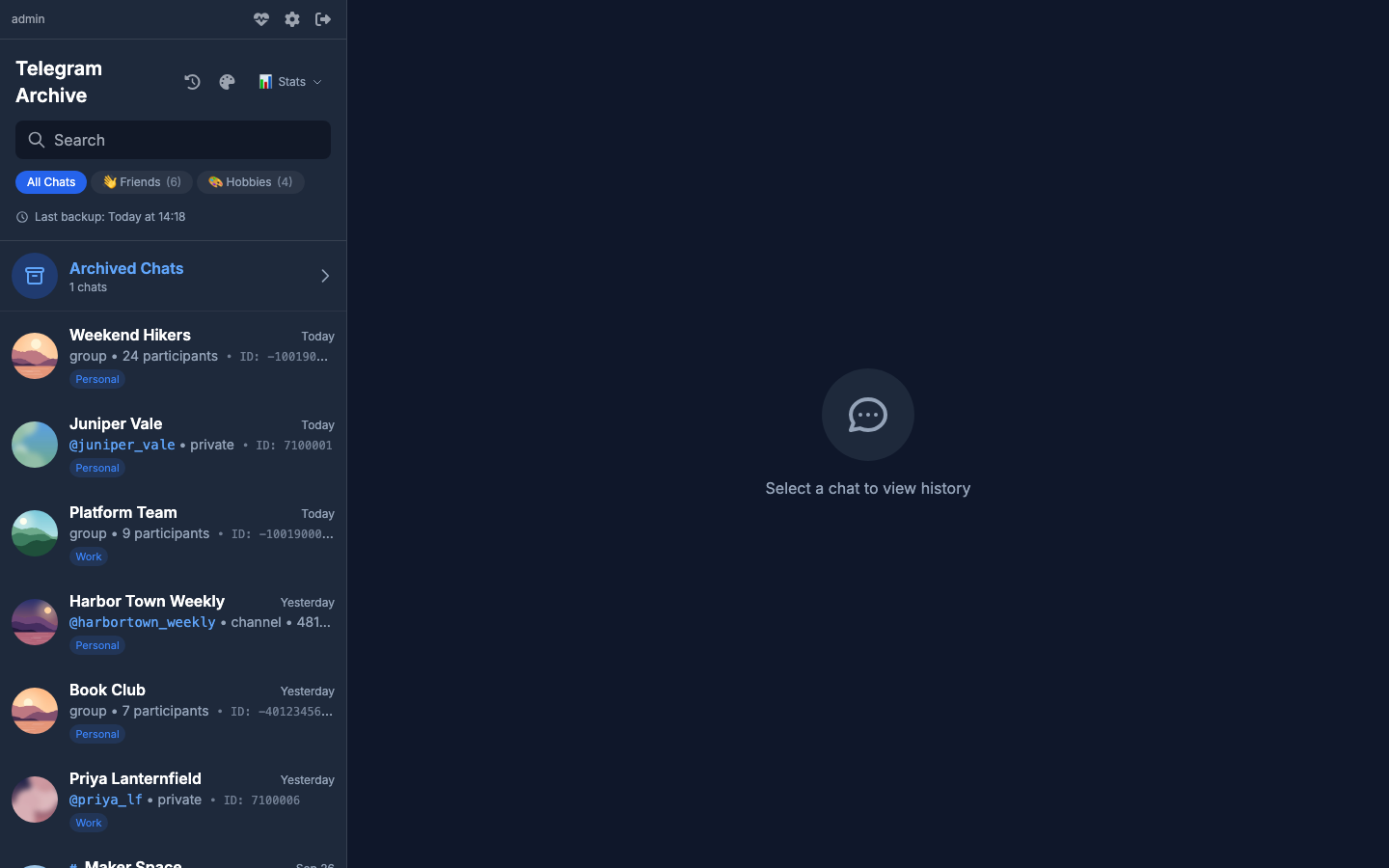
- A group or channel that several archived Telegram accounts belong to is listed once. The viewer shows the copy from the lowest account id the user may see.
- Private chats are never merged.
- A message sent by any archived Telegram account shows as your own message, with that account's chip.
- An admin can limit a viewer account to some Telegram accounts. See Logins, viewer accounts and share links.
Caveats
- Imports from Telegram Desktop always land in the first account row, the one the account at index 1 claimed on its first login. Renumbering accounts later does not change that.
backfill-topicssetsCHAT_IDSto the chat you name. For an account withTG_ACCOUNT_<N>_CHAT_IDS, the command uses that list instead.scripts/auth_noninteractive.pylogs in one account fromTELEGRAM_API_ID,TELEGRAM_API_HASH,TELEGRAM_PHONEandSESSION_NAME, and ignoresTG_ACCOUNT_<N>_*. To log in account N with it, pass that account's values in those variables and its session name inSESSION_NAME. It does not check the phone number.- To combine two existing archives that hold different Telegram accounts, use the
mergecommand. See Merge two archives.
See Import and maintenance tasks for imports and backfill-topics, and Upgrading for moving from 7.x.