Run with Docker
This page takes you from an empty Docker host to a running backup and a viewer you can sign in to. It also explains what the stock docker-compose.yml does.
Before you start
You need:
- A Linux host with Docker Engine and a recent Docker Compose.
- An amd64 or arm64 machine. Both images ship for both architectures.
- A Telegram account and the phone that receives its login codes.
- An API id and API hash for that account. Open my.telegram.org/apps, sign in with your phone number, open API development tools and create an app. Copy
api_idandapi_hash. The id is a number.
The compose file uses the long env_file syntax with path and required: false. Older Compose releases reject it. If docker compose up complains about env_file, update Compose.
Disk space
Nothing in the archive deletes data on its own, so the data directory only grows. Plan for:
- Media takes the most space: every photo, video, voice note, sticker and document from every chat you back up, up to
MAX_MEDIA_SIZE_MB. The default limit is 100 MB. With the defaultDEDUPLICATE_MEDIA=true, a file shared by several chats of one account is stored once. - The database grows with every message. The archive keeps the earlier text of every edited message. By default it also keeps deleted messages and only marks them as deleted.
- Thumbnails in
media/.thumbsare a cache. You can delete them, and the viewer rebuilds them. - An import copies the export's media into the archive, so it needs that much free space again.
- The upgrade from 7.x needs free space of three times the database file plus its
-walfile.
To limit growth, use MAX_MEDIA_SIZE_MB, DOWNLOAD_MEDIA_TYPES, DOWNLOAD_DOCUMENT_MIME_TYPES, SKIP_MEDIA_CHAT_IDS and the chat filters. Read Media downloads before the first large run, because some of these skip files for good.
To see how much space you use, pick one:
- In the viewer, signed in with the master login, open the Stats dropdown or the Archive Status panel.
- Run
docker compose exec telegram-backup python -m telegram_archive stats. - Run
du -sh data/backups/mediaon the host.
Set it up
1. Get the files
The compose file pins both images, drumsergio/telegram-archive and drumsergio/telegram-archive-viewer, to the current release. Moving that pin is how you upgrade later.
2. Write your settings
Open .env and set these lines:
TELEGRAM_API_ID=12345678
TELEGRAM_API_HASH=0123456789abcdef0123456789abcdef
TELEGRAM_PHONE=+15551234567
VIEWER_USERNAME=admin
VIEWER_PASSWORD=choose-a-long-password
VIEWER_TIMEZONE=Europe/London
TELEGRAM_PHONE is in international format with the leading +. VIEWER_TIMEZONE takes a tz database name. Set it, because the code default is Europe/Madrid. Without VIEWER_USERNAME and VIEWER_PASSWORD, every viewer data route answers 503 Viewer authentication is not configured. See The viewer starts closed.
Two defaults to know before the first run:
- Bot chats are not backed up. Add
botstoCHAT_TYPESif you want them. See Choosing chats. - The backup skips media files over 100 MB. Set
MAX_MEDIA_SIZE_MB=0to remove the limit.
3. Create the data directory
Both containers run as uid 1000 and write the session, database and media under ./data. The directory must belong to that uid. chmod 755 does not fix a Permission denied here. On Podman, add --userns=keep-id:uid=1000,gid=1000 to your run commands instead.
4. Log in to Telegram
The login code arrives in your Telegram app. If the account has two-step verification, the command then asks for that password. It echoes the password on screen as you type, so run it where nobody can see. The session is saved under data/session. Treat that file like a password: it gives full access to your account. Everything else about login is in Log in to Telegram.
5. Start both containers
telegram-backup migrates the database, runs a full backup straight away and then follows SCHEDULE. The default is 0 */6 * * *, every six hours. The scheduler reads the cron expression in the container's local time. That is UTC, because the image sets no TZ. telegram-viewer serves the web viewer. Watch the first backup with docker compose logs -f telegram-backup.
6. Open the viewer
Open http://127.0.0.1:8000 on the Docker host and sign in with VIEWER_USERNAME and VIEWER_PASSWORD.
The compose file publishes the viewer on 127.0.0.1 only. From another machine, use an SSH tunnel and open the same address locally:
For access without a tunnel, put a reverse proxy in front. See Exposing the viewer safely.
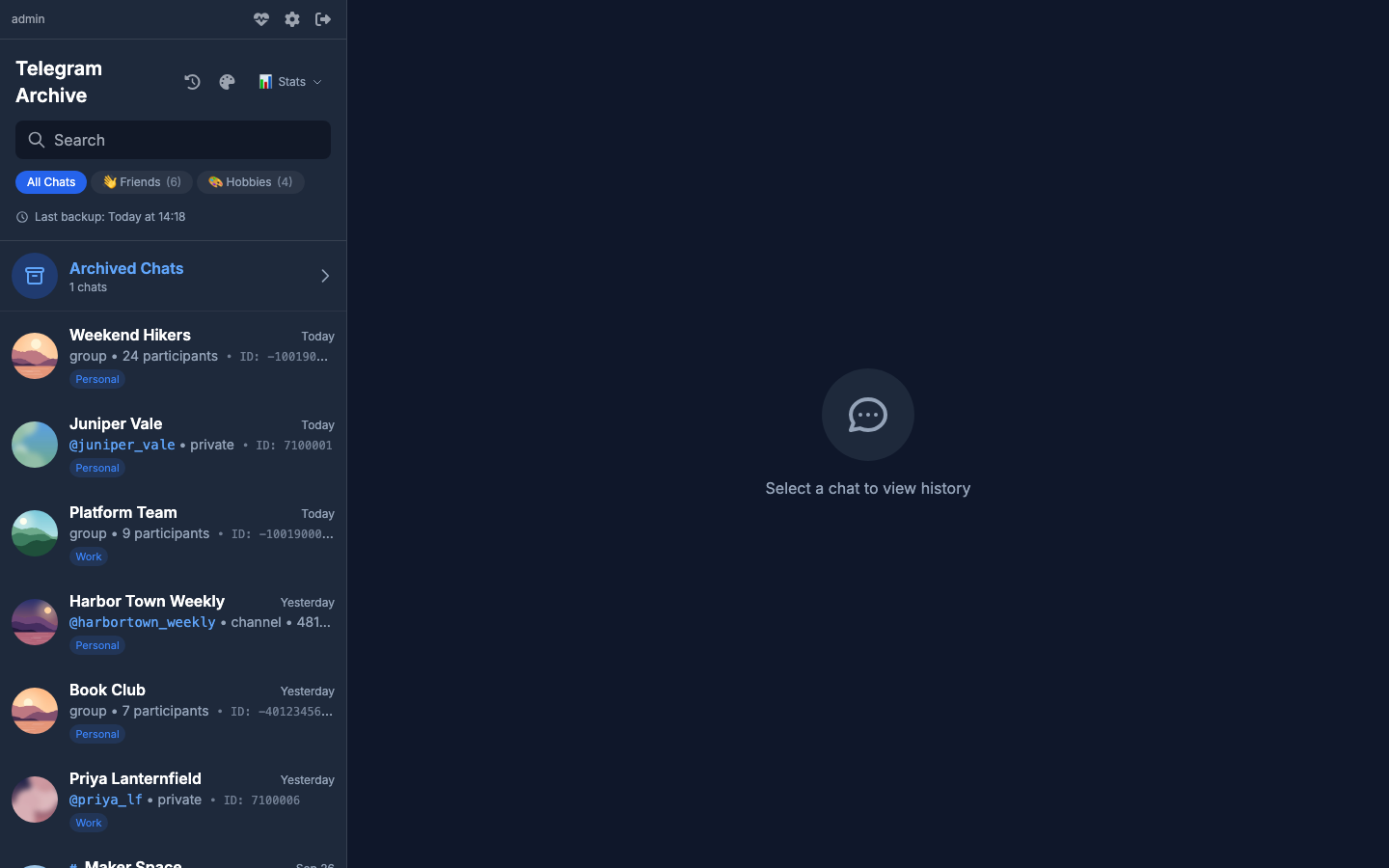
After the first backup the viewer shows your chats:
Next
- Your first backup: what the first run does and how to follow it.
- Choosing chats: back up only the chats you want.
- Real-time listener: capture new messages, edits and deletions as they happen.
What the stock compose file does
The file runs two services, telegram-backup and telegram-viewer, both pinned to the same version. It also holds three optional services, all commented out. Those are described at the end of this section.
The telegram-backup service
It runs the Telegram client and the scheduler with python -m telegram_archive schedule.
It loads the whole .env through env_file, so every variable you put there reaches this container. It also has its own environment: block, and that block wins on conflict:
BACKUP_PATHis hard-set to/data/backupsin both services.BACKUP_PATHin.envdoes nothing.CHAT_TYPESis passed as${CHAT_TYPES:-private,groups,channels}. An emptyCHAT_TYPES=in.envbecomes that default.
The block also sets some defaults that differ from the code defaults:
| Variable | Compose default | Why |
|---|---|---|
VIEWER_HOST |
telegram-viewer |
Real-time updates on SQLite are pushed to the viewer container by name. |
VIEWER_PORT |
8000 |
The port the viewer listens on. |
POSTGRES_HOST |
postgres |
The name of the optional PostgreSQL service. |
Compose also sets DB_PATH to /data/backups/telegram_backup.db. That is the image default, and setting it in both services keeps them on the same file.
The telegram-viewer service
It serves the web viewer. It has no env_file on purpose, so your Telegram credentials and proxy passwords never enter the container that faces the network. It receives only the variables listed in its own environment: block:
| Area | Variables |
|---|---|
| Paths | BACKUP_PATH |
| Sign-in | VIEWER_USERNAME, VIEWER_PASSWORD, ALLOW_ANONYMOUS_VIEWER, AUTH_SESSION_DAYS |
| Display | VIEWER_TIMEZONE, VIEWER_DEFAULT_THEME, VIEWER_CHAT_BACKGROUND, SHOW_STATS, DISPLAY_CHAT_IDS |
| Security | CORS_ORIGINS, SECURE_COOKIES, TRUST_PROXY_HEADERS, INTERNAL_PUSH_SECRET, AUTH_PROXY_HEADER, AUTH_PROXY_ADMIN_USERS, AUTH_PROXY_DEFAULT_ACCESS |
| Notifications | PUSH_NOTIFICATIONS, VAPID_PRIVATE_KEY, VAPID_PUBLIC_KEY, VAPID_CONTACT |
| Database | DATABASE_URL, DB_TYPE, DB_PATH, POSTGRES_HOST, POSTGRES_PORT, POSTGRES_USER, POSTGRES_PASSWORD, POSTGRES_DB |
| Transcription | TRANSCRIPTION_ENABLED, TRANSCRIPTION_URL |
| Logging | LOG_LEVEL |
The viewer receives LOG_LEVEL but always logs at INFO. The variable only affects the backup container.
The viewer reads more variables than that. These do nothing from .env until you add them to the viewer's environment: block:
STATS_CALCULATION_HOURTHUMBNAIL_CACHE_DIRDATABASE_PATHDATABASE_DIRDATABASE_TIMEOUTDB_ECHOMAX_WS_CONNECTIONSMAX_WS_SUBSCRIPTIONS_PER_CONNECTIONENABLE_NOTIFICATIONSMEDIA_MAX_DOWNLOAD_ATTEMPTSTRANSCRIPTION_WEBHOOK_SECRET: already in the block, commented out.HEALTHCHECK_URL: the image's healthcheck reads it. Set it only if you change the viewer's port.
To add one, put it under telegram-viewer like this:
Keep the database settings the same in both services
DATABASE_PATH or DATABASE_DIR in .env moves the backup's SQLite file but not the viewer's, because the viewer never sees them. The viewer then opens a different, empty database and shows no chats. Add the same variable to both services, or use DB_PATH, which both already receive.
Shared settings
Both services share the same hardening:
- a read-only root filesystem, with a tmpfs at
/tmp - all Linux capabilities dropped, and
no-new-privileges stop_grace_period: 90s, so a backup that is stopped mid-run has time to finish its writesjson-filelogs capped at 10 MB, three files
telegram-backup also has resource limits of 1 CPU and 1 GB, present but commented out.
Both mount ./data:/data read-write. On SQLite the viewer's mount must stay writable, for the database's WAL files, the shared .push-secret file and the thumbnail cache. Mount it :ro only when you use PostgreSQL.
The two services start in any order. The backup owns the schema and migrates it on start. The viewer never migrates.
Upgrading from 7.x
Migration 022 rebuilds every table and refuses to run while another process holds the SQLite file. It exits without changing anything, and the container keeps restarting until you stop the viewer. Stop both containers, then start the backup first. See Upgrading from 7.x.
To apply a change, edit .env and run docker compose up -d again. Compose recreates only the containers whose settings changed.
Optional services
The three commented-out services are:
- A PostgreSQL server. See SQLite and PostgreSQL.
- An akou server for voice transcription. See Voice transcription.
- A second viewer limited to a few chats with
DISPLAY_CHAT_IDS. See Logins, viewer accounts and share links.
Enabling PostgreSQL also means uncommenting the volumes: postgres_data: block at the end of the file.
The stock docker-compose.yml
services:
  telegram-backup:
    image: drumsergio/telegram-archive:8.17.0
    container_name: telegram-backup
    restart: unless-stopped
    # A stop during a long sweep needs time to finish in-flight writes and
    # disconnect cleanly; without this docker waits 10s then SIGKILLs.
    stop_grace_period: 90s
    # Unattended deployments must not fill the host disk with container logs.
    logging:
      driver: json-file
      options:
        max-size: "10m"
        max-file: "3"
    command: ["python", "-m", "telegram_archive", "schedule"]

    # Every variable documented in .env.example reaches the container. The
    # environment: block below interpolates ${VAR} references for readable
    # defaults, but compose injects nothing from .env into a container by
    # itself — without this, a documented variable missing from that block
    # (FILL_GAPS, PARALLEL_DOWNLOAD_*, LISTEN_* sub-toggles, …) was silently
    # inert. Explicit environment: entries below still win on conflict.
    env_file:
      - path: .env
        required: false

    environment:
      # Telegram Credentials (required)
      TELEGRAM_API_ID: ${TELEGRAM_API_ID}
      TELEGRAM_API_HASH: ${TELEGRAM_API_HASH}
      TELEGRAM_PHONE: ${TELEGRAM_PHONE}
      SESSION_NAME: ${SESSION_NAME:-telegram_backup}
      TELEGRAM_PROXY_TYPE: ${TELEGRAM_PROXY_TYPE:-}
      TELEGRAM_PROXY_ADDR: ${TELEGRAM_PROXY_ADDR:-}
      TELEGRAM_PROXY_PORT: ${TELEGRAM_PROXY_PORT:-}
      TELEGRAM_PROXY_USERNAME: ${TELEGRAM_PROXY_USERNAME:-}
      TELEGRAM_PROXY_PASSWORD: ${TELEGRAM_PROXY_PASSWORD:-}
      TELEGRAM_PROXY_RDNS: ${TELEGRAM_PROXY_RDNS:-}

      # Multiple accounts (v8.0.0+): archive several Telegram accounts into the
      # same database and media store. Indexes start at 1 and are contiguous;
      # declaring any TG_ACCOUNT_* variable makes the indexed set win over the
      # legacy credentials above. See README → Multiple Accounts.
      # TG_ACCOUNT_1_API_ID: ${TG_ACCOUNT_1_API_ID:-}
      # TG_ACCOUNT_1_API_HASH: ${TG_ACCOUNT_1_API_HASH:-}
      # TG_ACCOUNT_1_PHONE_NUMBER: ${TG_ACCOUNT_1_PHONE_NUMBER:-}
      # TG_ACCOUNT_1_LABEL: ${TG_ACCOUNT_1_LABEL:-}
      # TG_ACCOUNT_2_API_ID: ${TG_ACCOUNT_2_API_ID:-}
      # TG_ACCOUNT_2_API_HASH: ${TG_ACCOUNT_2_API_HASH:-}
      # TG_ACCOUNT_2_PHONE_NUMBER: ${TG_ACCOUNT_2_PHONE_NUMBER:-}
      # TG_ACCOUNT_2_LABEL: ${TG_ACCOUNT_2_LABEL:-}
      # TG_ACCOUNT_2_SESSION_NAME: ${TG_ACCOUNT_2_SESSION_NAME:-telegram_backup_account2}

      # Schedule (cron format)
      SCHEDULE: ${SCHEDULE:-0 */6 * * *}

      # Backup Configuration
      BACKUP_PATH: /data/backups
      DOWNLOAD_MEDIA: ${DOWNLOAD_MEDIA:-true}
      MAX_MEDIA_SIZE_MB: ${MAX_MEDIA_SIZE_MB:-100}
      # Whitelist of media types worth downloading; empty downloads every type.
      # DOWNLOAD_MEDIA_TYPES: ${DOWNLOAD_MEDIA_TYPES:-}
      # Narrow the "document" type to specific MIME types, e.g. application/pdf.
      # DOWNLOAD_DOCUMENT_MIME_TYPES: ${DOWNLOAD_DOCUMENT_MIME_TYPES:-}
      DOWNLOAD_CHAT_DESCRIPTION: ${DOWNLOAD_CHAT_DESCRIPTION:-false}
      # Absorb mid-download FloodWaits up to N seconds so large files resume
      # in place instead of restarting from byte 0 (issue #232). 0 disables.
      # MEDIA_FLOOD_SLEEP_THRESHOLD: ${MEDIA_FLOOD_SLEEP_THRESHOLD:-60}
      # Absorb FloodWaits up to N seconds during get_dialogs()'s internal
      # pagination so it resumes on the same page instead of the whole call
      # restarting from page 1 (issue #295). 0 disables.
      # DIALOG_FLOOD_SLEEP_THRESHOLD: ${DIALOG_FLOOD_SLEEP_THRESHOLD:-60}
      BATCH_SIZE: ${BATCH_SIZE:-100}
      CHECKPOINT_INTERVAL: ${CHECKPOINT_INTERVAL:-1}
      # DEDUPLICATE_MEDIA: ${DEDUPLICATE_MEDIA:-true}
      # PRIORITY_CHAT_IDS: ${PRIORITY_CHAT_IDS:-}
      # SKIP_MEDIA_CHAT_IDS: ${SKIP_MEDIA_CHAT_IDS:-}
      # SKIP_MEDIA_DELETE_EXISTING: ${SKIP_MEDIA_DELETE_EXISTING:-false}
      SKIP_TOPIC_IDS: ${SKIP_TOPIC_IDS:-}
      # STATS_CALCULATION_HOUR: ${STATS_CALCULATION_HOUR:-3}

      # =======================================================================
      # CHAT FILTERING - Choose ONE mode:
      # =======================================================================
      # MODE 1 (Simple): Set CHAT_IDS to backup ONLY specific chats
      #   CHAT_IDS: "-100123456,-100789012"  # Only these chats, nothing else
      #
      # MODE 2 (Default): Use CHAT_TYPES to backup by type
      #   CHAT_TYPES: "private,groups,channels"  # All chats of these types
      # =======================================================================
      CHAT_IDS: ${CHAT_IDS:-}
      # If a CHAT_IDS entry can't be resolved (typically a DM on a fresh
      # session), scan up to N dialogs once to warm the entity cache (#234).
      # WHITELIST_RESOLVE_DIALOG_LIMIT: ${WHITELIST_RESOLVE_DIALOG_LIMIT:-1000}
      CHAT_TYPES: ${CHAT_TYPES:-private,groups,channels}

      # Granular Filtering (only used in type-based mode)
      GLOBAL_INCLUDE_CHAT_IDS: ${GLOBAL_INCLUDE_CHAT_IDS:-}
      GLOBAL_EXCLUDE_CHAT_IDS: ${GLOBAL_EXCLUDE_CHAT_IDS:-}
      PRIVATE_INCLUDE_CHAT_IDS: ${PRIVATE_INCLUDE_CHAT_IDS:-}
      PRIVATE_EXCLUDE_CHAT_IDS: ${PRIVATE_EXCLUDE_CHAT_IDS:-}
      GROUPS_INCLUDE_CHAT_IDS: ${GROUPS_INCLUDE_CHAT_IDS:-}
      GROUPS_EXCLUDE_CHAT_IDS: ${GROUPS_EXCLUDE_CHAT_IDS:-}
      CHANNELS_INCLUDE_CHAT_IDS: ${CHANNELS_INCLUDE_CHAT_IDS:-}
      CHANNELS_EXCLUDE_CHAT_IDS: ${CHANNELS_EXCLUDE_CHAT_IDS:-}
      # EXCLUDE_DELETE_EXISTING: ${EXCLUDE_DELETE_EXISTING:-false}  # true DELETES archived data of excluded chats
      # Adopt the new supergroup id when a tracked basic group migrates (#228).
      # Default false = warn only; true = follow + capture automatically.
      # FOLLOW_CHAT_MIGRATIONS: ${FOLLOW_CHAT_MIGRATIONS:-false}

      # Database Configuration (v3.0+)
      # Option 1: DATABASE_URL (takes priority)
      DATABASE_URL: ${DATABASE_URL:-}
      # Option 2: Individual settings
      DB_TYPE: ${DB_TYPE:-sqlite}
      DB_PATH: ${DB_PATH:-/data/backups/telegram_backup.db}
      # PostgreSQL settings (when DB_TYPE=postgresql or using DATABASE_URL)
      POSTGRES_HOST: ${POSTGRES_HOST:-postgres}
      POSTGRES_PORT: ${POSTGRES_PORT:-5432}
      POSTGRES_USER: ${POSTGRES_USER:-telegram}
      POSTGRES_PASSWORD: ${POSTGRES_PASSWORD:-}
      POSTGRES_DB: ${POSTGRES_DB:-telegram_backup}

      # Real-time Listener
      # ENABLE_LISTENER is the master switch — when false, all LISTEN_* vars are ignored
      ENABLE_LISTENER: ${ENABLE_LISTENER:-false}
      # Granular listener controls (only apply when ENABLE_LISTENER=true):
      # LISTEN_EDITS: ${LISTEN_EDITS:-true}
      # LISTEN_DELETIONS: ${LISTEN_DELETIONS:-false}
      DELETION_MODE: ${DELETION_MODE:-soft}
      # LISTEN_NEW_MESSAGES: ${LISTEN_NEW_MESSAGES:-true}
      # LISTEN_NEW_MESSAGES_MEDIA: ${LISTEN_NEW_MESSAGES_MEDIA:-false}
      # LISTEN_CHAT_ACTIONS: ${LISTEN_CHAT_ACTIONS:-true}
      # LISTEN_REACTIONS: ${LISTEN_REACTIONS:-false}
      # REACTION_DEBOUNCE_SECONDS: ${REACTION_DEBOUNCE_SECONDS:-1.5}
      # REACTION_RESWEEP_DAYS: ${REACTION_RESWEEP_DAYS:-0}
      # REACTION_RESWEEP_MAX_PER_CHAT: ${REACTION_RESWEEP_MAX_PER_CHAT:-500}
      # REACTION_RESWEEP_BATCH_DELAY_SECONDS: ${REACTION_RESWEEP_BATCH_DELAY_SECONDS:-2}

      # Mass operation protection (only applies when ENABLE_LISTENER=true)
      # MASS_OPERATION_THRESHOLD: ${MASS_OPERATION_THRESHOLD:-10}
      # MASS_OPERATION_WINDOW_SECONDS: ${MASS_OPERATION_WINDOW_SECONDS:-30}
      # MASS_OPERATION_BUFFER_DELAY: ${MASS_OPERATION_BUFFER_DELAY:-2.0}

      # Outbound event webhook (#336) — requires ENABLE_LISTENER=true
      EVENT_WEBHOOK_ENABLED: ${EVENT_WEBHOOK_ENABLED:-false}
      # EVENT_WEBHOOK_URL: ${EVENT_WEBHOOK_URL:-}
      # EVENT_WEBHOOK_METHOD: ${EVENT_WEBHOOK_METHOD:-POST}
      # EVENT_WEBHOOK_HEADERS: ${EVENT_WEBHOOK_HEADERS:-}
      # EVENT_WEBHOOK_EVENTS: ${EVENT_WEBHOOK_EVENTS:-message_edited,message_deleted}
      # EVENT_WEBHOOK_CHAT_IDS: ${EVENT_WEBHOOK_CHAT_IDS:-}
      # EVENT_WEBHOOK_BODY_TEMPLATE: ${EVENT_WEBHOOK_BODY_TEMPLATE:-}

      # Voice transcription (docs/TRANSCRIPTION.md): on by default, idle until
      # TRANSCRIPTION_URL points at an akou server (see the optional service below)
      TRANSCRIPTION_ENABLED: ${TRANSCRIPTION_ENABLED:-true}
      TRANSCRIPTION_URL: ${TRANSCRIPTION_URL:-}
      # TRANSCRIPTION_API_KEY: ${TRANSCRIPTION_API_KEY:-}
      # TRANSCRIPTION_PROVIDER: ${TRANSCRIPTION_PROVIDER:-auto}
      # TRANSCRIPTION_MODEL: ${TRANSCRIPTION_MODEL:-}
      # TRANSCRIPTION_HOTWORDS: ${TRANSCRIPTION_HOTWORDS:-}
      # TRANSCRIPTION_PRESET: ${TRANSCRIPTION_PRESET:-auto}
      # TRANSCRIPTION_TYPES: ${TRANSCRIPTION_TYPES:-voice}
      # TRANSCRIPTION_MAX_SECONDS: ${TRANSCRIPTION_MAX_SECONDS:-1800}
      # TRANSCRIPTION_MAX_UPLOAD_MB: ${TRANSCRIPTION_MAX_UPLOAD_MB:-500}
      # TRANSCRIPTION_LANGUAGE: ${TRANSCRIPTION_LANGUAGE:-}
      # TRANSCRIPTION_DIARIZE: ${TRANSCRIPTION_DIARIZE:-false}
      # TRANSCRIPTION_CALLBACK_URL: ${TRANSCRIPTION_CALLBACK_URL:-}
      # TRANSCRIPTION_BACKFILL_PER_RUN: ${TRANSCRIPTION_BACKFILL_PER_RUN:-50}
      # TRANSCRIPTION_PRIORITY_CHAT_IDS: ${TRANSCRIPTION_PRIORITY_CHAT_IDS:-}

      # Batch sync alternative (expensive — prefer ENABLE_LISTENER instead)
      SYNC_DELETIONS_EDITS: ${SYNC_DELETIONS_EDITS:-false}
      VERIFY_MEDIA: ${VERIFY_MEDIA:-false}
      INTERNAL_PUSH_SECRET: ${INTERNAL_PUSH_SECRET:-}
      # Split containers: realtime pushes must target the viewer SERVICE, not
      # the in-container localhost the bare-metal default assumes — otherwise
      # every push is refused and "real-time updates" silently degrades to
      # refresh-to-see on the stock SQLite stack.
      VIEWER_HOST: ${VIEWER_HOST:-telegram-viewer}
      VIEWER_PORT: ${VIEWER_PORT:-8000}

      # Logging
      LOG_LEVEL: ${LOG_LEVEL:-INFO}
      LOG_CHAT_TITLES: ${LOG_CHAT_TITLES:-false}

    volumes:
      # Persistent data storage
      - ./data:/data
    networks:
      - telegram-network
    # Security hardening
    read_only: true
    tmpfs:
      - /tmp
    cap_drop:
      - ALL
    security_opt:
      - no-new-privileges:true
    # Uncomment to use PostgreSQL
    # depends_on:
    #   postgres:
    #     condition: service_healthy
    # Optional: Resource limits
    # deploy:
    #   resources:
    #     limits:
    #       cpus: '1.0'
    #       memory: 1G
    #     reservations:
    #       cpus: '0.5'
    #       memory: 512M

  telegram-viewer:
    image: drumsergio/telegram-archive-viewer:8.17.0
    container_name: telegram-viewer
    restart: unless-stopped
    # A stop during a long sweep needs time to finish in-flight writes and
    # disconnect cleanly; without this docker waits 10s then SIGKILLs.
    stop_grace_period: 90s
    # Unattended deployments must not fill the host disk with container logs.
    logging:
      driver: json-file
      options:
        max-size: "10m"
        max-file: "3"
    ports:
      # Bind to localhost by default. Put this behind a reverse proxy with auth
      # configured before exposing it publicly.
      - "127.0.0.1:8000:8000"

    # DELIBERATE ASYMMETRY with telegram-backup: no env_file here. This is the
    # internet-facing container, so it receives an explicit allowlist instead
    # of the whole .env — capture credentials (TELEGRAM_API_HASH, proxy
    # passwords) must never enter its environment. Every viewer-documented
    # variable therefore needs an entry below; the ${VAR:-default} references
    # are interpolated from the same .env.

    environment:
      BACKUP_PATH: /data/backups

      # Authentication is required by default. To deliberately run a local
      # anonymous viewer, set ALLOW_ANONYMOUS_VIEWER=true.
      VIEWER_USERNAME: ${VIEWER_USERNAME:-}
      VIEWER_PASSWORD: ${VIEWER_PASSWORD:-}
      ALLOW_ANONYMOUS_VIEWER: ${ALLOW_ANONYMOUS_VIEWER:-false}
      AUTH_SESSION_DAYS: ${AUTH_SESSION_DAYS:-30}

      # Display
      VIEWER_TIMEZONE: ${VIEWER_TIMEZONE:-Europe/Madrid}
      # Default color theme for browsers with no saved choice
      # (slate | night | amoled | forest | aubergine | day | paper); the in-app picker wins.
      VIEWER_DEFAULT_THEME: ${VIEWER_DEFAULT_THEME:-}
      # Wallpaper behind the messages: a file name served from /static, so the
      # image must be mounted into the container (see the volumes block below).
      VIEWER_CHAT_BACKGROUND: ${VIEWER_CHAT_BACKGROUND:-}
      # MEDIA_OPEN_CMD and MEDIA_OPEN_PATH_CMD are not passed on purpose: they run a
      # command on the machine that serves the viewer, and a container has no desktop.
      SHOW_STATS: ${SHOW_STATS:-true}
      # Restrict viewer to specific chats (optional)
      DISPLAY_CHAT_IDS: ${DISPLAY_CHAT_IDS:-}

      # Security
      # CORS_ORIGINS: comma-separated allowed origins (default: * = allow all)
      CORS_ORIGINS: ${CORS_ORIGINS:-*}
      # SECURE_COOKIES: auto-detect from protocol; override with true/false
      SECURE_COOKIES: ${SECURE_COOKIES:-}
      TRUST_PROXY_HEADERS: ${TRUST_PROXY_HEADERS:-false}
      INTERNAL_PUSH_SECRET: ${INTERNAL_PUSH_SECRET:-}
      # Reverse-proxy (Authelia/Authentik) identity integration
      AUTH_PROXY_HEADER: ${AUTH_PROXY_HEADER:-}
      AUTH_PROXY_ADMIN_USERS: ${AUTH_PROXY_ADMIN_USERS:-}
      AUTH_PROXY_DEFAULT_ACCESS: ${AUTH_PROXY_DEFAULT_ACCESS:-none}

      # Notifications
      PUSH_NOTIFICATIONS: ${PUSH_NOTIFICATIONS:-basic}
      VAPID_PRIVATE_KEY: ${VAPID_PRIVATE_KEY:-}
      VAPID_PUBLIC_KEY: ${VAPID_PUBLIC_KEY:-}
      VAPID_CONTACT: ${VAPID_CONTACT:-mailto:admin@example.com}

      # Database Configuration — MUST MATCH telegram-backup service!
      # If viewer shows no data, ensure these match the backup container
      DATABASE_URL: ${DATABASE_URL:-}
      DB_TYPE: ${DB_TYPE:-sqlite}
      DB_PATH: ${DB_PATH:-/data/backups/telegram_backup.db}
      POSTGRES_HOST: ${POSTGRES_HOST:-postgres}
      POSTGRES_PORT: ${POSTGRES_PORT:-5432}
      POSTGRES_USER: ${POSTGRES_USER:-telegram}
      POSTGRES_PASSWORD: ${POSTGRES_PASSWORD:-}
      POSTGRES_DB: ${POSTGRES_DB:-telegram_backup}

      # Voice transcription (docs/TRANSCRIPTION.md). The viewer never calls the
      # server: it shows TRANSCRIPTION_URL and receives the signed callback.
      TRANSCRIPTION_ENABLED: ${TRANSCRIPTION_ENABLED:-true}
      TRANSCRIPTION_URL: ${TRANSCRIPTION_URL:-}
      # TRANSCRIPTION_WEBHOOK_SECRET: ${TRANSCRIPTION_WEBHOOK_SECRET:-}

      # Logging
      LOG_LEVEL: ${LOG_LEVEL:-INFO}

    volumes:
      # SQLite needs write access for WAL journal files (.db-wal, .db-shm).
      # Use :ro only if you are using PostgreSQL as the database backend.
      - ./data:/data
      # Wallpaper behind the messages (VIEWER_CHAT_BACKGROUND). The name must
      # match the variable, and the mount has to be re-stated after an image
      # update — nothing written inside the container survives one, and this
      # service runs with a read-only root filesystem, so a bind mount is the
      # only way in. Mount the FILE: a directory mounted over the static one
      # hides the app's own assets and the viewer comes up blank.
      # - ./wallpaper.jpg:/app/telegram_archive/web/static/wallpaper.jpg:ro
    networks:
      - telegram-network
    # Security hardening
    read_only: true
    tmpfs:
      - /tmp
    cap_drop:
      - ALL
    security_opt:
      - no-new-privileges:true
    # There is deliberately no ordering between this service and
    # telegram-backup, and none is needed. telegram-backup owns the schema and
    # migrates it on start; this image ships no migrations and cannot. It also no
    # longer writes tables into a database that already has any (see
    # _create_schema_if_absent in telegram_archive/db/base.py), so starting it never
    # corrupts a migration. The ordering that matters is enforced from the
    # other side: a migration that rebuilds tables refuses to start while any
    # other process holds the SQLite file, and proceeds once it is released.
    # Do not add depends_on here expecting it to wait for migrations:
    # depends_on waits for the container, not for the work it does, so it
    # would only look like a guarantee.
    # Uncomment to use PostgreSQL
    # depends_on:
    #   postgres:
    #     condition: service_healthy

  # Example: Restricted Channel Viewer (optional)
  # Use this to share specific channels publicly with authentication
  # telegram-channel-viewer:
  #   image: drumsergio/telegram-archive-viewer:8.17.0
  #   container_name: telegram-channel-viewer
  #   restart: unless-stopped
  #   ports:
  #     - "8001:8000"
  #   environment:
  #     BACKUP_PATH: /data/backups
  #     DISPLAY_CHAT_IDS: 224091347,123456789  # Comma-separated chat IDs
  #     VIEWER_USERNAME: public_viewer
  #     VIEWER_PASSWORD: secure_password_here
  #   volumes:
  #     - ./data:/data
  #   networks:
  #     - telegram-network

  # ================================
  # akou speech-to-text (Optional)
  # ================================
  # Uncomment to transcribe voice messages on this host. akou can run on any
  # host instead; TRANSCRIPTION_URL points at wherever it runs, here
  # http://akou:8476. See https://github.com/GeiserX/akou for its server
  # settings, the API key for TRANSCRIPTION_API_KEY and the whsec_ secret for
  # TRANSCRIPTION_WEBHOOK_SECRET.
  #
  # The image runs as uid 1000, so give it the two folders first:
  # mkdir -p akou/data akou/models && chown -R 1000:1000 akou. Pull the models
  # once before the first start (docker run --rm -v ./akou/models:/models
  # drumsergio/akou:0.2.1 models pull fast). In a container akou must listen
  # beyond loopback, and it refuses to unless its settings say a proxy fronts
  # it: set server.behind_proxy to true (see akou's docs/install.md).
  #
  # akou:
  #   image: drumsergio/akou:0.2.1
  #   container_name: akou
  #   restart: unless-stopped
  #   volumes:
  #     - ./akou/data:/data
  #     - ./akou/models:/models
  #   networks:
  #     - telegram-network

  # ================================
  # PostgreSQL Database (Optional)
  # ================================
  # Uncomment to use PostgreSQL instead of SQLite
  # Also set DB_TYPE=postgresql in your .env file
  #
  # postgres:
  #   image: postgres:18-alpine
  #   container_name: telegram-postgres
  #   restart: unless-stopped
  #   environment:
  #     POSTGRES_USER: ${POSTGRES_USER:-telegram}
  #     POSTGRES_PASSWORD: ${POSTGRES_PASSWORD:?POSTGRES_PASSWORD is required}
  #     POSTGRES_DB: ${POSTGRES_DB:-telegram_backup}
  #   volumes:
  #     - postgres_data:/var/lib/postgresql
  #   networks:
  #     - telegram-network
  #   healthcheck:
  #     test: ["CMD-SHELL", "pg_isready -U ${POSTGRES_USER:-telegram} -d ${POSTGRES_DB:-telegram_backup}"]
  #     interval: 10s
  #     timeout: 5s
  #     retries: 5

networks:
  telegram-network:
    driver: bridge

# Uncomment for PostgreSQL persistent storage
# volumes:
#   postgres_data:
One-off commands
Run any command with a fresh container:
export, stats, status and list-chats never change archived data and never connect to Telegram, so you can also run them inside the running container:
docker compose exec telegram-backup python -m telegram_archive stats
docker compose exec telegram-backup python -m telegram_archive export -o /data/backups/export.json
The container's root filesystem is read-only, so any output file must go under /data. It then appears under ./data on the host.
Commands that connect to Telegram use the scheduler's session file, so stop the scheduler first. See One client per session.
docker compose stop telegram-backup
docker compose run --rm telegram-backup python -m telegram_archive fill-gaps
docker compose start telegram-backup
Always give the backup image a command. Without one it prints the help text and exits 0, and restart: unless-stopped turns that into a restart loop.
The full list of commands is in Command line and Python API.
Running without Compose
You can run the same setup with plain docker run. First create a network so the backup can push real-time updates to the viewer by name:
In .env, uncomment VIEWER_HOST=telegram-viewer and VIEWER_PORT=8000.
Plain docker run --env-file keeps everything after =, inline comments included. Compose strips them, so the file works there as it is. Before you use .env outside Compose, delete the trailing # ... on the MAX_MEDIA_SIZE_MB and TRANSCRIPTION_URL lines, or move those comments to their own lines. Otherwise the backup exits at start with MAX_MEDIA_SIZE_MB must be an integer.
Log in once, then start the backup:
docker run -it --rm --env-file .env -v ./data:/data \
  drumsergio/telegram-archive:8.17.0 python -m telegram_archive auth

docker run -d --name telegram-backup --restart unless-stopped \
  --network telegram-archive \
  --env-file .env \
  -v ./data:/data \
  --read-only --tmpfs /tmp \
  --cap-drop ALL --security-opt no-new-privileges:true \
  --stop-timeout 90 \
  --log-opt max-size=10m --log-opt max-file=3 \
  drumsergio/telegram-archive:8.17.0 python -m telegram_archive schedule
The viewer gets explicit -e variables, never the whole .env. Its database settings must match the backup's. With the image defaults, both use /data/backups/telegram_backup.db:
docker run -d --name telegram-viewer --restart unless-stopped \
  --network telegram-archive \
  -p 127.0.0.1:8000:8000 \
  -v ./data:/data \
  --read-only --tmpfs /tmp \
  --cap-drop ALL --security-opt no-new-privileges:true \
  --stop-timeout 90 \
  --log-opt max-size=10m --log-opt max-file=3 \
  -e VIEWER_USERNAME=admin \
  -e VIEWER_PASSWORD=choose-a-long-password \
  -e VIEWER_TIMEZONE=Europe/London \
  -e DB_TYPE=sqlite \
  -e DB_PATH=/data/backups/telegram_backup.db \
  drumsergio/telegram-archive-viewer:8.17.0
For PostgreSQL, see SQLite and PostgreSQL. What each setting means is in Environment variables.
Removing the install
This removes the containers and the network and keeps ./data. With the optional PostgreSQL service, docker compose down -v also removes the postgres_data volume.
The Telegram login stays valid until you end it. In Telegram, open Settings > Devices and terminate the backup's session. Then delete ./data if you no longer want the archive. To move the archive to another machine instead, copy ./data, .env and docker-compose.yml as described in Backing up the archive, and never run both machines at once.